
Gothic 1 Remake Guide | How to Skip Time
Here’s a guide on how to Skip Time in Gothic 1 Remake.
Game Guide by Ragib Rawnak on Jun 09, 2026
In Gothic 1 Remake, you will often find that you need to move time forward. You can do this by using a Bed or Sleeping Bag to Skip The Night. This Game Mechanic is straightforward, but you should keep a few things in mind to make sure you get a full rest without trouble.
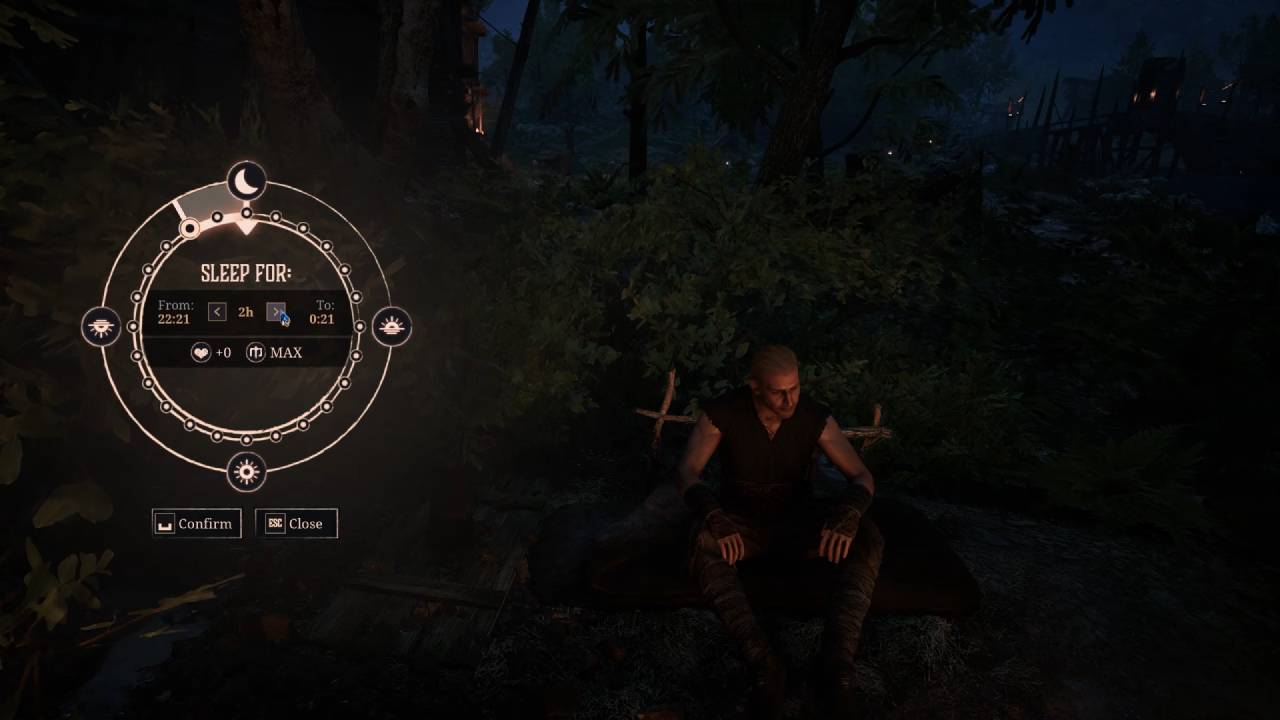
Finding A Spot To Sleep
You can locate a Bed or Sleeping Bag in many Buildings and Camps. When you walk up to one, check the color of the Interaction Prompt. If the text appears red, it means the Item is claimed by an NPC in Gothic 1 Remake.
If you try to use it while the NPC nearby is close by, they may wake you up and kick you out. Try to find a Bed not marked red, or make sure the Area is clear before you lie down to Rest.
Choosing Your Wake-Up Time
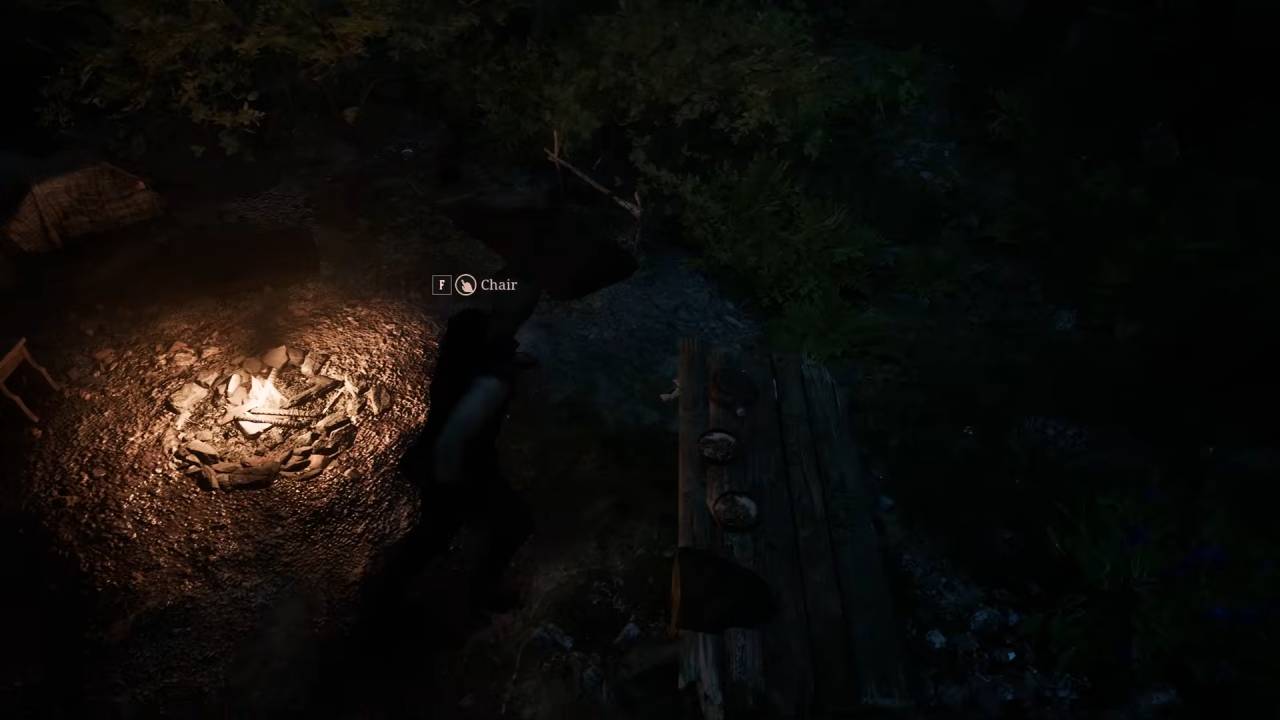
After you use a Bed or Sleeping Bag, a Menu will pop up to help you set the time. You can drag the Selector to determine the length of your sleep, like waiting for the Sun to rise.
Once you choose your time, press the Button to confirm your choice. Your Character will then enter a Rest State until the chosen time arrives. If you are in a quiet spot, you will stay asleep until you are ready to start your In-Game Day in Gothic 1 Remake.
Also, check our Gothic 1 Remake Review and other guides below:
- Gothic 1 Remake Guide | How to Get the Best Early Sword for Free
- Gothic 1 Remake Guide | How to Become Good at Lockpicking
- Gothic 1 Remake Guide | How to Get the Best Early Shortbow for Free
- Gothic 1 Remake Guide | How to Use Quick Slots
- Gothic 1 Remake Guide | Where to Find Vendors
- Gothic 1 Remake Guide | How to Find Hellcap Mushrooms
- Gothic 1 Remake Guide | How to Reach New Camp
- Gothic 1 Remake Guide | Best One-Handed Sword Location
- Gothic 1 Remake Guide | Best Early Skills & Upgrades
- Gothic 1 Remake Guide | How to Get Free Bed
- Gothic 1 Remake Guide | How to Complete Snaf’s Recipe Quest
- Gothic 1 Remake Guide | How to Get Blank Parchment
- Gothic 1 Remake Guide | How to Use Learning Points to Learn Skills
- Gothic 1 Remake Guide | How to Get the Morningstar
- Gothic 1 Remake Guide | How to Increase Health Early
- Gothic 1 Remake Guide | How to Get the Ring of Iron Skin
- Gothic 1 Remake Guide | How to Stow Torch
- Gothic 1 Remake Guide | How to Complete Vanisher Warder Quest
- Gothic 1 Remake Guide | How to Complete Test of Faith Quest
- Gothic 1 Remake Guide | Where to Find Fingers
- Gothic 1 Remake Guide | How to Unlock Map
- Gothic 1 Remake Guide | How to Sell Items
- Gothic 1 Remake Guide | Where to Find Nek
- Gothic 1 Remake Guide | How to Farm XP & Level Up Early
- Gothic 1 Remake Guide | How to Farm Money Early
- Gothic 1 Remake Guide | How to Get the Best Early Armor for Free
- Gothic 1 Remake Beginner’s Guide | Gameplay Tips & Tricks
Senior Editor, NoobFeed
Latest Articles
No Data.