
Arknights: Endfield Guide | How to Get Snowshine & Greatsword
Here’s a guide on how to get Snowshine & Greatsword in Arknights: Endfield.
Game Guide by Ragib Rawnak on Jan 27, 2026
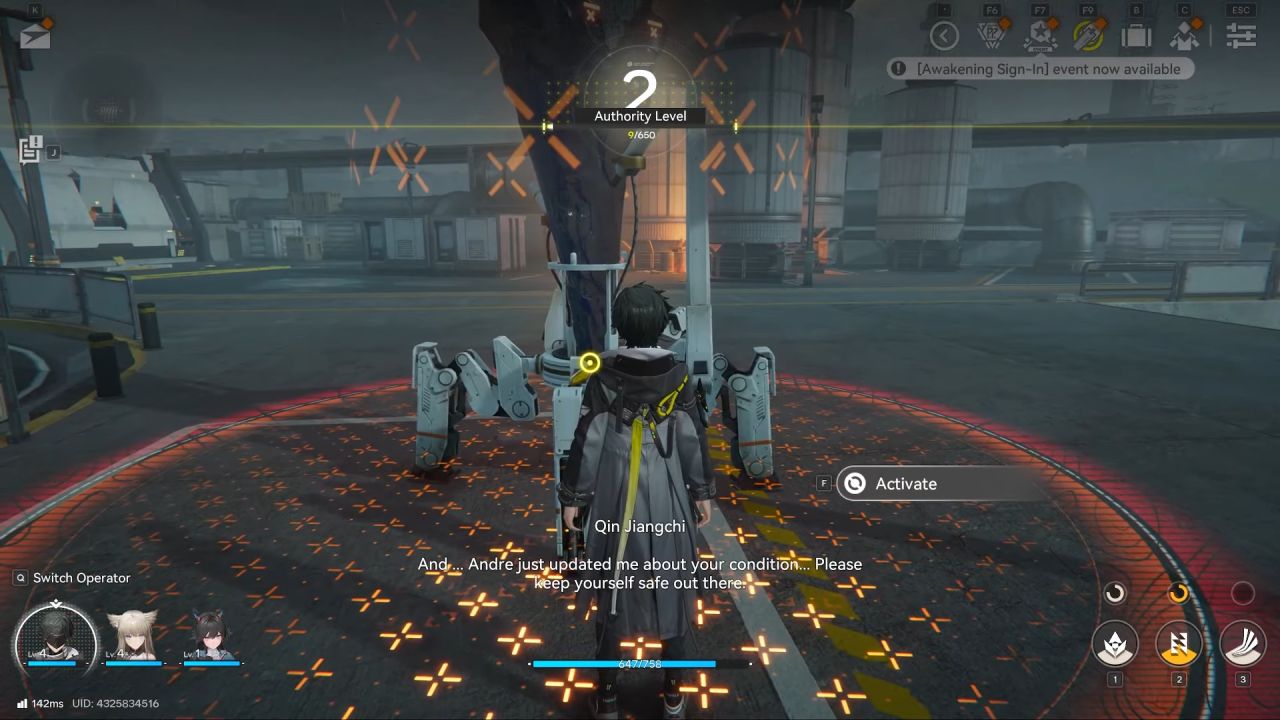
In Arknights: Endfield, you can get a free five-star character named Snowshine along with a five-star weapon. You will reach the point to unlock these rewards once you add a new operator to your squad and reach level two at a beacon.
Claiming the Character and Weapon
To get your rewards, you first need to check your in-game mail. Hold the Alt key on your keyboard to bring up your mouse cursor.
Move the cursor to the top left of the screen and click on the Email icon. Inside, you can claim your first reward, which includes the five-star operator Snowshine and a five-star Greatsword designed for her.
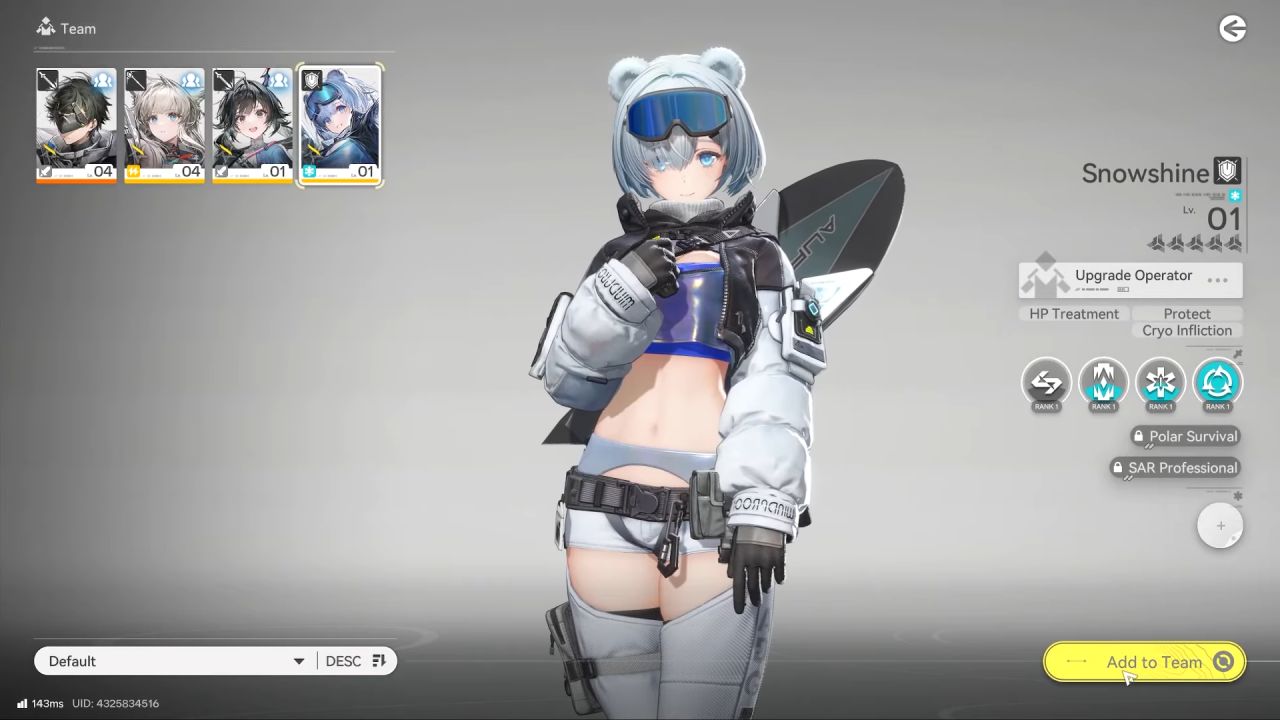
Adding Snowshine to Your Team
After claiming her, you must manually add her to your active squad. Hold Alt again and click on the arrow icon located in the top right corner of the screen in Arknights: Endfield.
Find the Character pictures in the list and click on them. There should be a fourth empty spot at your party. To add Snowshine to the team, click on this spot, pick her out of the list of operators, and click the "Add" button.
Equipping the Five-Star Weapon
Once Snowshine is in your squad, you should equip her new Greatsword. Hold Alt and click on the Character icon in the top right, or press the C key.
Select Snowshine and then click on the weapon she is currently holding on the right side of the screen. Click the Switch button in the bottom right corner in Arknights: Endfield.
Select the five-star weapon and click Switch once more to finish the process. Even if the weapon appears to be locked, it will still be equipped to your character.
Also, check our Arknights: Endfield Review and other guides below:
- Arknights: Endfield Guide | How to Use Portable Originium Rig
- Arknights: Endfield Guide | How to Increase Base Size
- Arknights: Endfield Guide | How to Get Blueprints Fast
- Arknights: Endfield Guide | How to Get Amethyst Components
- Arknights: Endfield Guide | How to Mine Ore & Craft Automatically
- Arknights: Endfield Guide | How to Get Auronyx
- Arknights: Endfield Guide | How to Get Kalkonyx
- Arknights: Endfield Guide | How to Get Bolete
- Arknights: Endfield Guide | How to Decrease World Exploration Difficulty
- Arknights: Endfield Guide | How to Increase Base Storage Space
- Arknights: Endfield Guide | How to Power Originium
- Arknights: Endfield Guide | How to Get Steel Blueprints
- Arknights: Endfield Guide | How to Make Purple Quality Meds Buck
- Arknights: Endfield Guide | How to Get Cryston Component
- Arknights: Endfield Guide | How to Farm Valley Stock Bills
- Arknights: Endfield Guide | How to Get Sandleaf
- Arknights: Endfield Guide | How to Use Turrets
- Arknights: Endfield Guide | How to Get Aerospace Material
- Arknights: Endfield Guide | How to Make Steel Battery Build
- Arknights: Endfield Guide | How to Make Liquid Xiranite
- Arknights: Endfield Guide | How to Farm Yazhen Syringe
- Arknights: Endfield Guide | How to Get Wuling Stock Bills
- Arknights: Endfield Guide | How to Beat Triaggellos Boss
- Arknights: Endfield Guide | How to Farm Crops Automatically
- Arknights: Endfield Guide | How to Make Auto Buck Capsule Farm
- Arknights: Endfield Guide | How to Atrifice Gears
- Arknights: Endfield Guide | How to Make Xiranite Component Build
- Arknights: Endfield Guide | How to Make Compact LC Wuling Battery Build
- Arknights: Endfield Guide | How to Get Ferrium Ore
- Arknights: Endfield Guide | How to Get More Power for Base
- Arknights: Endfield Guide | How to Craft Portable Explosive
- Arknights: Endfield Guide | Device Activation Correct Sequence
- Arknights: Endfield Guide | How to Solve SOS Puzzle
- Arknights: Endfield Guide | How to Power the Bridge
- Arknights: Endfield Beginner’s Guide | Gameplay Tips & Tricks
Senior Editor, NoobFeed
Latest Articles
No Data.