
Everwind Guide | How to operate the Energy System
Here's an easy guide on Power Generation and Consumption
Game Guide by Subaiyta Jahan on Mar 30, 2026
In this guide, you will learn how the energy system works and how to manage power across your devices. You will understand how to read energy values, how connections affect power usage, and how to identify when a system is not receiving enough energy. This will help you control your setup and ensure that all connected devices function properly.
Reading Energy Indicators
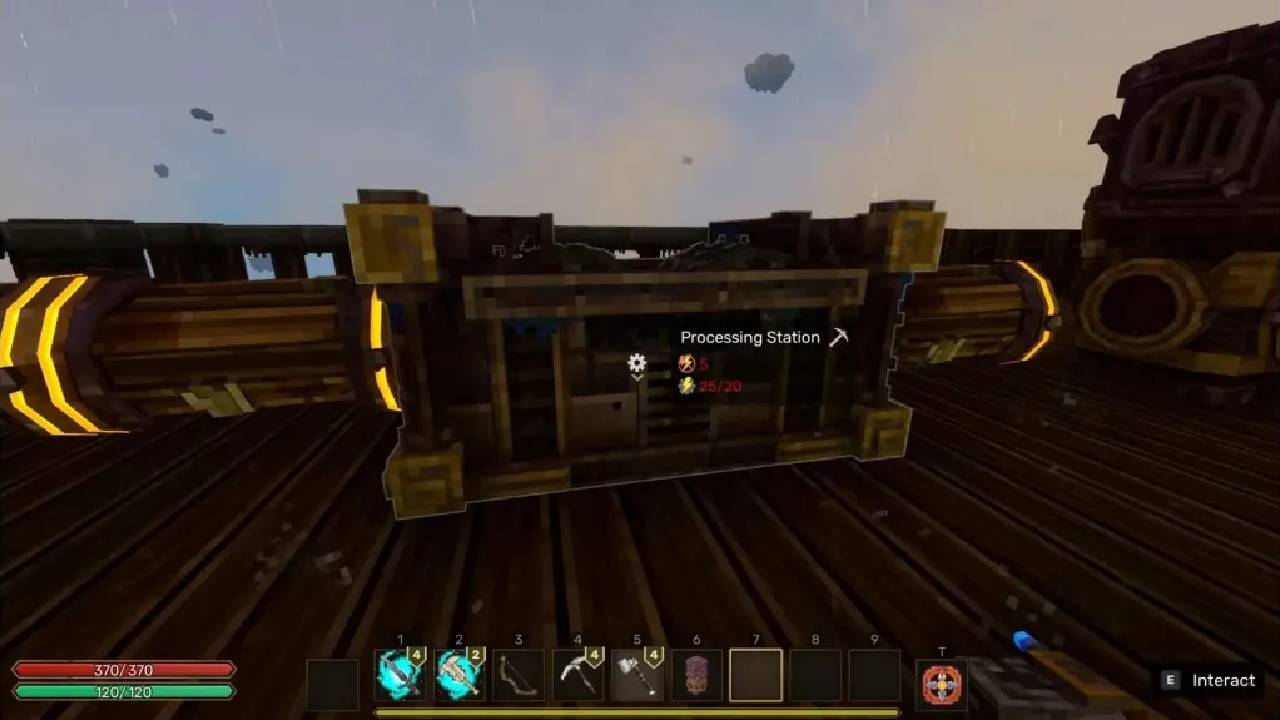
You will notice that each energy device displays information about power generation and usage. The system shows how much energy is required, how much is produced, and whether there is enough power available. It also indicates when there is insufficient energy or when a device is not powered.
The display includes two main values. The top number shows how much energy a device can output. The bottom number shows how much energy is currently being used along the connected line. You need to read both values together to understand the full state of your system.
.jpg)
Understanding Generators and Output
When you place an Energy Generator, you will see its output value at the top. For example, if it shows 20, that means the generator can supply up to 20 energy. At first, the bottom value will show zero because nothing is connected.
As you begin connecting devices, the total energy usage on the line will increase. The generator will then display how much of its total output is being consumed by connected components.
.jpg)
Connecting Devices and Tracking Usage
When you connect a device, such as a Balloon, it will begin drawing power from the generator. Even if the system is not turned on, the connection will still show how much energy the device requires. For example, a Balloon may require 10 energy.
If you connect another device that uses 5 energy, the total usage on the line becomes 15. The generator will then show that 15 out of its 20 available energy is being used. This total reflects all connected devices combined.
.jpg)
Power Activation and Distribution
Once you activate the generator, the system will supply power based on the total demand. The display will continue to show how much energy is available and how much is being used.
For example, if one device uses 5 units of energy and another uses 10, the system will show 15 out of 20 units consumed. This means all connected devices are receiving enough power and will function as expected.
Handling Insufficient Power
If you connect more devices than the generator can support, the total energy demand will exceed the available output. For example, if you add another Balloon that requires 10 energy, the total demand becomes 25 while the generator can only supply 20.
In this case, the system will indicate a problem. Devices that do not receive enough power will be marked, and they will not function. Some devices may be given priority over others. For example, Balloons may remain active while another device becomes unpowered.
You will see visual indicators such as a red highlight or a crossed-out value. This shows that the device is not receiving energy and will not operate.
Expanding Power with Multiple Generators
To solve power shortages, you can connect another Energy Generator to the same line. When multiple generators are connected, their outputs combine. For example, two generators that each produce 20 units of energy will provide a total of 40 units.
This allows you to support more devices on the same network. Once connected, all devices will draw from the combined energy pool, and previously unpowered devices can resume functioning.
.jpg)
Summary of Energy Values
You should interpret the energy system using two key values. The top number represents the amount of energy a device can produce or requires to operate. The bottom number represents the total energy being used across the connected line.
For example, if one device uses 5 units of energy and a Balloon uses 10, together they use 15. If the generator supplies 20 units, then 15 out of 20 are being used. You should always compare these values to ensure your system remains balanced.
Also, check our other guides below:
- Everwind Beginner's Guide | Gameplay Tips
- Everwind Guide | How to Defeat the Wraith Boss
- Everwind Guide | How to Build a New Airship
- Everwind Guide | How to find Mortivar Lord Skull
- Everwind Guide | How to Unlock the Crafting Hang Gliders
- Everwind Guide | How to operate the Airship System
- Everwind Guide | How the Merchant and Economy System Works
- Everwind Guide | How to Find a Steamer Vault Key
- Everwind Guide | How to Find the Ultimate Ore Island
- Everwind Guide | How to Progress and Craft
- Everwind Guide | How to Find and Use the Refinery
- Everwind Guide | How to Find the Stone Golem Boss
- Everwind Guide | How to Make Potions in Everwind
- Everwind Guide | How to Find Jungle Wood for Farming
Contributor, NoobFeed
Latest Articles
No Data.