
NVIDIA GeForce RTX 5080 Stalker 2 Benchmark Analysis at 4K 1440p and 1080p
Stalker2 stresses modern GPUs with demanding UE5 visuals, unstable frame times, and strong reliance on upscaling technologies
Hardware by Shinji Okazaki on Dec 24, 2025
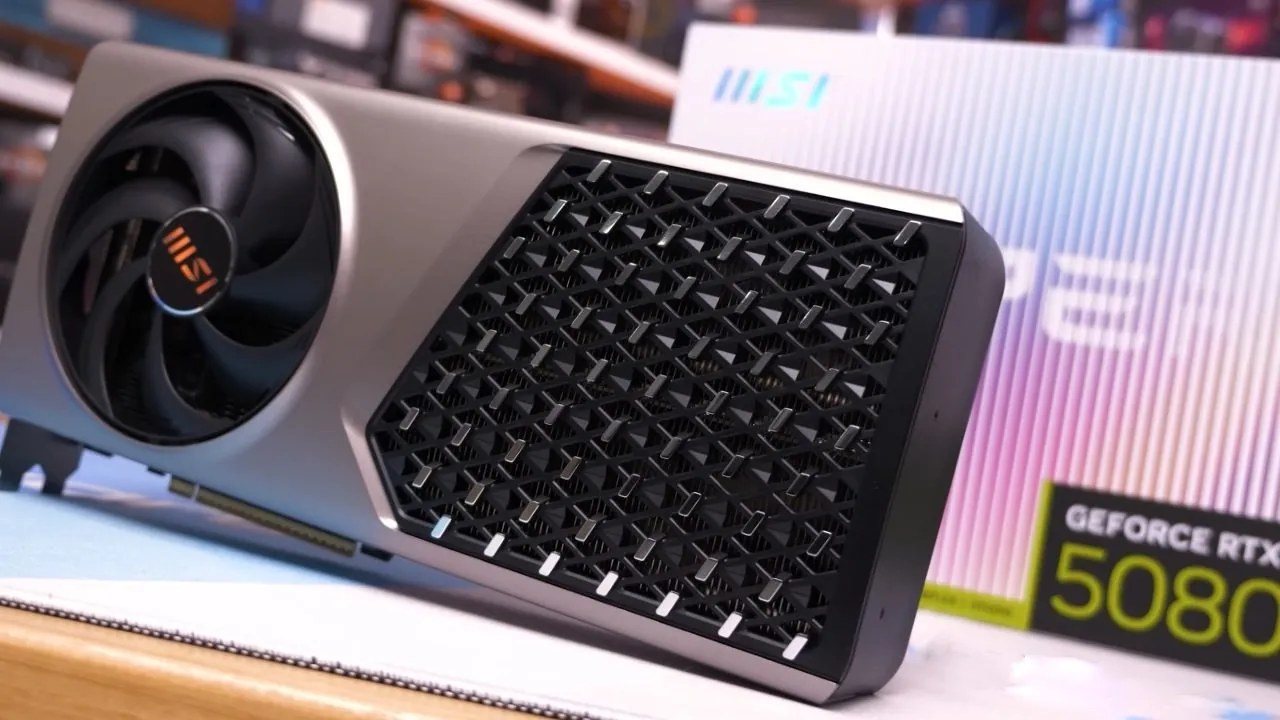
Stalker2 is still one of the most difficult new Unreal Engine 5 games to play. It stands out since it doesn't always work well and has a wide selection of graphics. Testing checks how effectively the GeForce RTX 5080 Founders Edition plays the game at multiple resolutions with the newest drivers.
Epic presets, and new ways to upscale and generate frames. We check factors such as system configuration, graphical settings, latency behavior, and CPU limits to gauge how playable a game is in real life.
Testing System and Setup
RTX 5080 Founders Edition has a Ryzen 9 7980X3D processor and 32GB of RAM. We test the GPU at its default settings, which means we don't overclock it ourselves. We use regular GPU and system tools to monitor things. When you need it, you can turn off motion blur, choose epic quality, and push DLSS4 through the Nvidia program override. Whenever possible, Nvidia Reflex is turned on.
4K Resolution Epic Settings Without Adding Frames
The average frame rate when using DLEA at native is roughly 50 fps. The lowest 1% of frame rates fall in the high 30s. Frame pace isn't steady, especially in areas where people are moving in and the CPU load rises. There are still stutters, but they aren't as awful as they were when the game initially came out.
In general, GPU consumption is still high, but frame time spikes are still making things less stable. This GPU may not be able to handle 50 fps, but that's what you would expect from UE5 games at this resolution.
4K Resolution with Making Frames
Allowing frame creation on top of DLEA increases the displayed frame rate to about 80 fps. When Nvidia Reflex is enabled, latency improves, but when the frame rate drops below 80 fps, responsiveness worsens. In some circumstances, frame creation can help eliminate microstutter and make frame delivery smoother. But it can also produce latency spikes that are plain to see when you move about and fight. The highest performance comes from generating frames twice, though using larger multipliers worsens artifacts and latency.
DLSS Quality at 4K Resolution
When you switch to DLSS Quality at 4K, the native performance jumps up to roughly 60–70 fps without making any frames. The picture quality is fairly comparable to DLEA; however, it is not as soft as older versions of DLSS. The plants look clearer, and the movements are more stable. Adding frame generation to DLSS Quality improves performance to 120–130 fps, with acceptable latency because the base frame rate is higher. Responsiveness improves, but latency stays the same when you compare DLEA with frame generation only.
Using DLSS Performance for 4K Resolution
DLSS Performance raises the native frame rate to roughly 90-100 fps. The image isn't as steady, and when things move quickly, such as near weapon models, you can see noise. When frame generation is enabled, the frame rate exceeds 130 fps, but pixel instability is more noticeable. DLSS Quality with frame generation delivers a more balanced experience overall, even with minor enhancements.
Performance at 1440p
With DLEA, the frame rate can be anything from 80 to 100 fps at 1440p. The picture is clearer than 1080p, but it is not as sharp as 4K output. In busy areas, GPU usage fluctuates, a sign of early CPU bottlenecks. Frame generation improves performance by putting it in the range of 130 to 150 fps. This makes things smoother, but it also makes them a little softer. DLSS Quality at 1440p shows noticeable image degradation, hence DLEA is the best choice for consistency and clarity.
How the CPU Bottleneck Works at 1440p
When there are settlements, GPU usage drops below 95%, indicating the CPU is fully utilized. In tough conditions, Ryzen 9 7980X3D keeps up at roughly 90 fps, which is what we expected given its performance compared to earlier X3D processors. Frame generation helps address some CPU constraints, but it doesn't fix frame-time instability.
Results for 1080p Resolution
When played at 1080p with DLEA, the game feels much softer because UE5 renders things that way. The performance is normally between 90 and 100 fps, although it's usually the CPU that slows things down, not the GPU. When the computer stutters, GPU usage drops to the upper 80s. When you turn on frame generation, performance jumps to roughly 160 fps. However, the pictures remain softer, and the frame pacing remains erratic. DLSS Quality isn't used at this level because the lower internal render resolution renders things too soft.
Latency and Responsiveness Observations
Stalker2's latency behavior doesn't work the same way on all systems. Nvidia Reflex reduces input lag; however, it doesn't make responsiveness totally stable. When the baseline speed is over 60 fps, frame generation can make things look smoother, but latency spikes are still typical. The responsiveness is still lower than expected compared to other shooters. However, it's still decent enough for a single-player game.

Improvements in Stability and Optimization
Since the launch, performance stability has improved. There are fewer significant frame time spikes and less stuttering when moving around. When the CPU is busy, frame creation helps smooth delivery, and DLSS4 improves image reconstruction quality. The game still doesn't work well at any resolution, even though things have improved.
Final Thoughts
When combining DLSS Quality with the ability to produce frames, RTX 5080 delivers the best overall experience at 4K. DLEA without frame generation delivers stable 1440p output, though frame generation performs better on high-refresh-rate panels.
At 1080p, CPU limitations are the biggest obstacle; thus, frame generation is the best technique to achieve high frame rates on the screen. The engine is still limited, not the hardware, based on overall performance. But recent fixes have made the game more fun to play.
Also, check our other NVIDIA articles below:
- NVIDIA GeForce RTX 5080 Review (2025): Still A 4K Gaming Powerhouse?
- NVIDIA RTX 5070 Review: Mid-Range Muscle or Marketing Hype?
- RTX 5070 Ti Review: Performance, Thermals & Power Efficiency Tested
- ASUS GeForce RTX 5090 LC Liquid Cooled GPU Review: Unmatched Silence & Speed
- MSI GeForce RTX 5090 32GB SUPRIM SOC Review: Power Efficiency, Cooling, and Gaming Performance
- INNO3D RTX 5060 Ti 16 GB X2 Review: Gaming Benchmarks, Temps, and Power Efficiency
- HP Omen 45L Review: RTX 5090 Performance, Thermals, and Value Analysis
- ASUS TUF Gaming GeForce RTX 5060 Ti Review: DLSS 4, Power Efficiency, and Gaming
- ASUS Prime RTX 5060 Ti OC 16GB Review: DLSS 4, Ray Tracing, & Thermals Tested
- NVIDIA GeForce RTX 5060 Review: Specs, Gaming, and Cost per Frame
- MSI GeForce RTX 5090 GAMING TRIO OC Review: A Monster Power GPU
Editor, NoobFeed
Gaming Hardware Updates
No Data.