
Why OLED Monitors are Overhyped and Alternatives
OLED monitors combine advanced color accuracy, deep blacks, and ultra-fast response times, but still struggle with major drawbacks.
Hardware by Tanvir Kabbo on Sep 24, 2025
In recent years, OLED monitors have received a lot of attention for their extraordinarily deep blacks and vivid colors. They feature state-of-the-art technology and stunning visuals, but do they live up to the expectations?
Despite their great performance in many areas, organic light-emitting diodes (OLEDs) have inevitable drawbacks. Let's have a look at the pros and cons to understand the argument better.

Types of Panels in the Current Market
The market for monitors is now dominated by three primary panel types: TN, VA, and IPS. Each has its advantages and disadvantages of its own.
TN Panels
Weak contrast ratios, limited viewing angles, and poor color fidelity are all characteristics of TN panels. To preserve color consistency, they must be viewed directly. The rapid response times make them popular among e-sports players in games like Counter-Strike and Valorant, but the general public should stay away from them.
VA Panels
VA panels improve on TN panels with better colors and wider viewing angles. Their greatest advantage is the high contrast ratio, though response times are slower. Many budget-friendly curved monitors use VA panels, but ghosting can be an issue in lower-quality models.
IPS Panels
IPS panels provide the best viewing angles and color accuracy among these three. However, certain lower-end IPS models have poor color reproduction, and their contrast ratios are inferior to those of VA panels. Because it strikes a mix between quality and performance, IPS continues to be the most popular option despite being more costly.
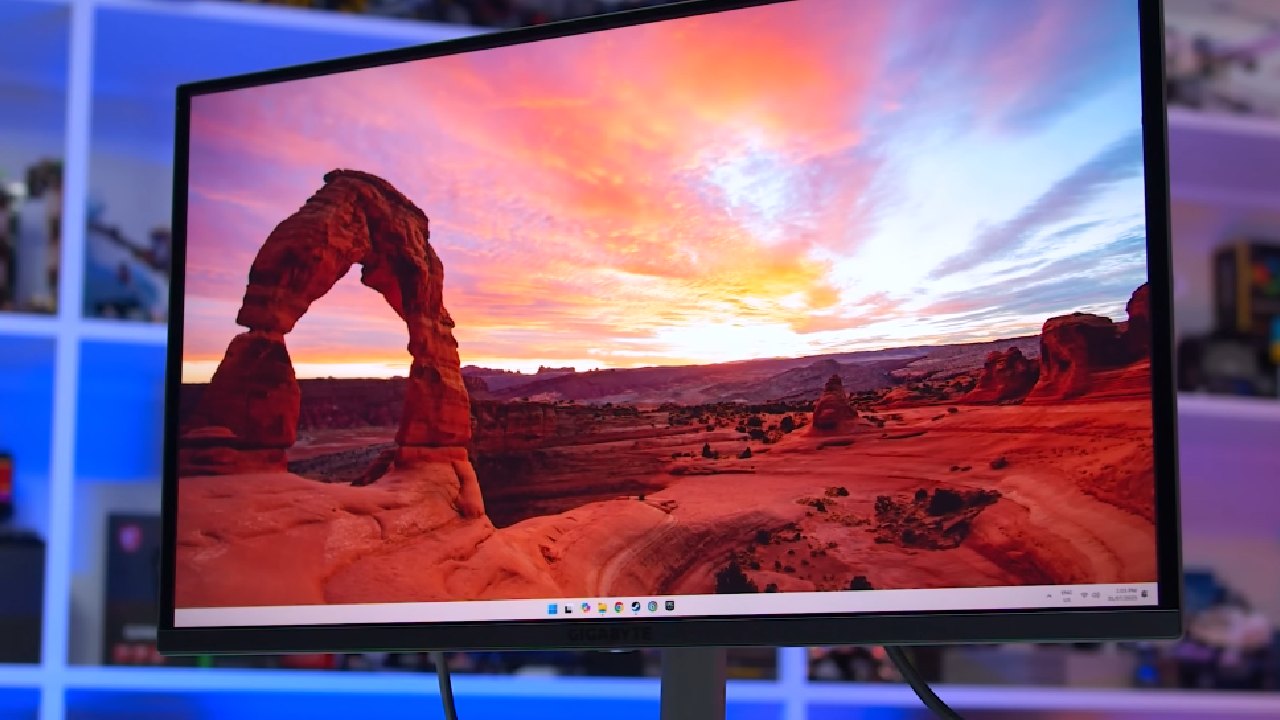
Alternative Panels vs. OLED
The advantages of all three panel types are combined in OLED technology, which is frequently viewed as a hybrid. OLED monitors provide response times as low as 0.01ms, offer superior color accuracy compared to IPS, and deliver higher contrast ratios than VA. Viewing angles are also outstanding, making OLEDs technically impressive on almost every level.
However, these strengths come with notable downsides that you need to carefully consider before making a purchase.
The Working Principle of OLED
OLED screens function at the pixel level, in contrast to other display technologies that depend on a backlight. Because each pixel produces its own light, some of them can turn off entirely when showing black.
As a result, the contrast ratios and true blacks are significantly higher than those of IPS (about 1000:1) and VA (almost 3000:1). OLED achieves virtually infinite contrast, creating exceptional depth and detail in movies and games.
But these benefits also introduce unique challenges.
The Burn-in Issue
One of the biggest concerns with OLED monitors is burn-in. When a pixel consistently displays the same color and brightness over long periods, it can degrade and leave behind a permanent mark.
Particularly at risk are static components like TV logos and user interface symbols. Additionally, heat speeds up this deterioration, which makes OLEDs less suitable for hot conditions.
Pixel refreshing, which slowly adjusts pixels to lessen strain, is one method used by manufacturers to combat burn-in. However, this may occasionally cause a momentary interruption in usage. Improved cooling and power management also help, but the risk remains an important factor when considering OLED.
The Maximum Brightness Issue
Although OLED excels in contrast, it struggles with maximum brightness. Most OLED monitors peak at 250–350nits, a range typically associated with budget displays.
This is disappointing considering the high price tag. If you plan to use an OLED monitor in a bright room, the lack of brightness can be a major drawback.
The Text Clarity Issue
OLED monitors often face issues with text clarity due to their subpixel layout. Each pixel is made of red, green, and blue subpixels, but their arrangement in OLED differs from that of traditional panels. As a result, text can sometimes appear blurry or unclear, especially if characters don't align well with the layout.
Technologies like ClearType on Windows attempt to improve clarity but don't fully solve the problem. If your work involves long hours of reading or writing, OLED may not be the best option, as unclear text can cause eye strain or headaches.
The Price Issue
OLED monitors are generally costly because of their relatively new technology and high production costs. While rates have slowly lowered over time, they remain inaccessible for many consumers. OLED is a dubious investment for average consumers because of its exorbitant cost and problems with burn-in, brightness, and text clarity.
OLED Variants: WOLED, QD-OLED, and Tandem OLED
To address inherent limitations, manufacturers have developed different OLED variants.
.jpg)
WOLED
In addition to the conventional RGB pixels, LG's WOLED technology has a white subpixel. Although it may somewhat diminish color fidelity, this increases brightness, particularly in white tones. In comparison to QD-OLEDs, WOLED panels are typically less expensive and provide clearer text.
QD-OLED
The blue OLED emission layer and Quantum Dot (QD) layer make up Samsung's QD-OLED, which is an alternative to white OLEDs. The results are colors that are more vivid and true to life. When contrasted with WOLEDs, QD-OLEDs often perform better with colors but less well with text clarity. On top of that, their price is higher.
Tandem OLED
Another LG development, Tandem OLED, stacks multiple OLED layers. This significantly increases brightness, reduces power consumption, and extends lifespan by distributing the load across layers. While Tandem OLED addresses many of the technology's core problems, it remains very costly and limited in availability.
OLED is Not for Everyone
The visual quality of OLEDs is undeniably breathtaking. Even content you've already seen feels refreshed on an OLED screen. However, once you've experienced an OLED, going back to other panels may feel underwhelming.
Gamers benefit from OLED's fast response times and excellent color performance. Still, burn-in risks, lower brightness, text clarity problems, and high prices make OLED less practical for everyday users.
Mini LED Monitors: A Strong Alternative
If your priority is vibrant visuals without the steep cost, Mini LED monitors offer a great alternative. They utilize a large number of local dimming zones to control brightness, resulting in excellent HDR performance.
Mini LEDs can reach brightness levels of 1000nits or more, far beyond OLED's typical 350nits. They also avoid burn-in issues, making them more durable and long-lasting. Mini LED displays provide excellent contrast, remarkable HDR, and superior value when paired with VA or IPS panels.

Final Thoughts
Although OLED monitors have an amazing appearance, not everyone is a good fit for them. They are better suited for enthusiasts than for everyday users because of burn-in hazards, restricted brightness, poor text clarity, and hefty costs.
Check our other Monitor Articles:
- ASUS ROG Strix XG27AQWMG Review: 280Hz 1440p OLED Gaming Performance
- ASUS ROG Strix XG32UCWG Review: 32-inch OLED with 4K 165Hz and HDR
- Samsung Odyssey OLED G81SF Review 2025: Ultimate 32-Inch QD-OLED Gaming Monitor
- Adaptive Sync Explained: FreeSync vs. G-Sync for Modern Gaming Monitors
- Gigabyte MO27Q2 QD OLED Review: Performance, HDR, and Gaming Experience
- ASUS ROG Swift PG27UCDM Review: Blazing Fast 240hz 4K OLED Performance
Senior Editor, NoobFeed
Gaming Hardware Updates
No Data.