
RTX 5060 8GB vs. RX 9060XT 16GB: Real Gaming Performance Comparison
The ongoing debate around GPU memory capacity and whether 8GB is still enough for modern gaming workloads.
Hardware by Mitsuba Miyu on Feb 12, 2026
There is more noise than ever in the discussion about GPU memory. A lot of people say 8GB of VRAM isn't enough and that you need more memory. On paper, it should be clear that more VRAM and a bigger price tag equal better performance.
But does that really work? It's not always what you'd expect when you compare two very different graphics cards that cost $130 more than each other.
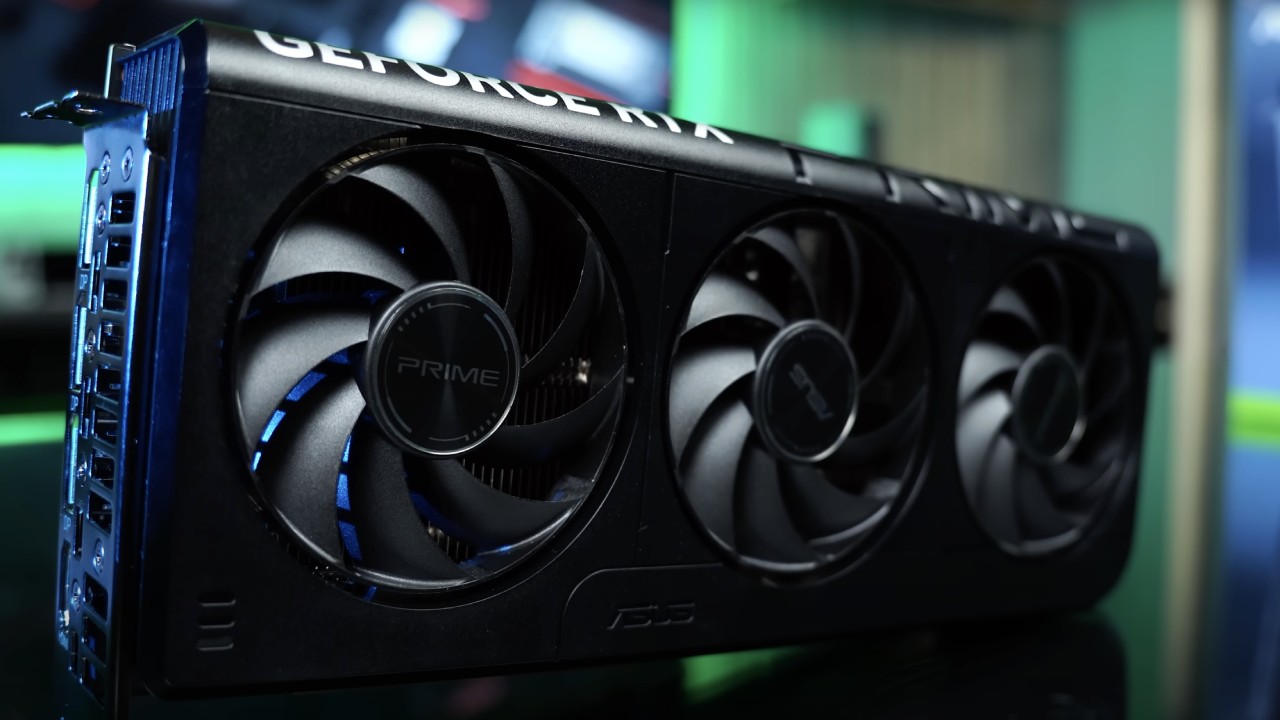
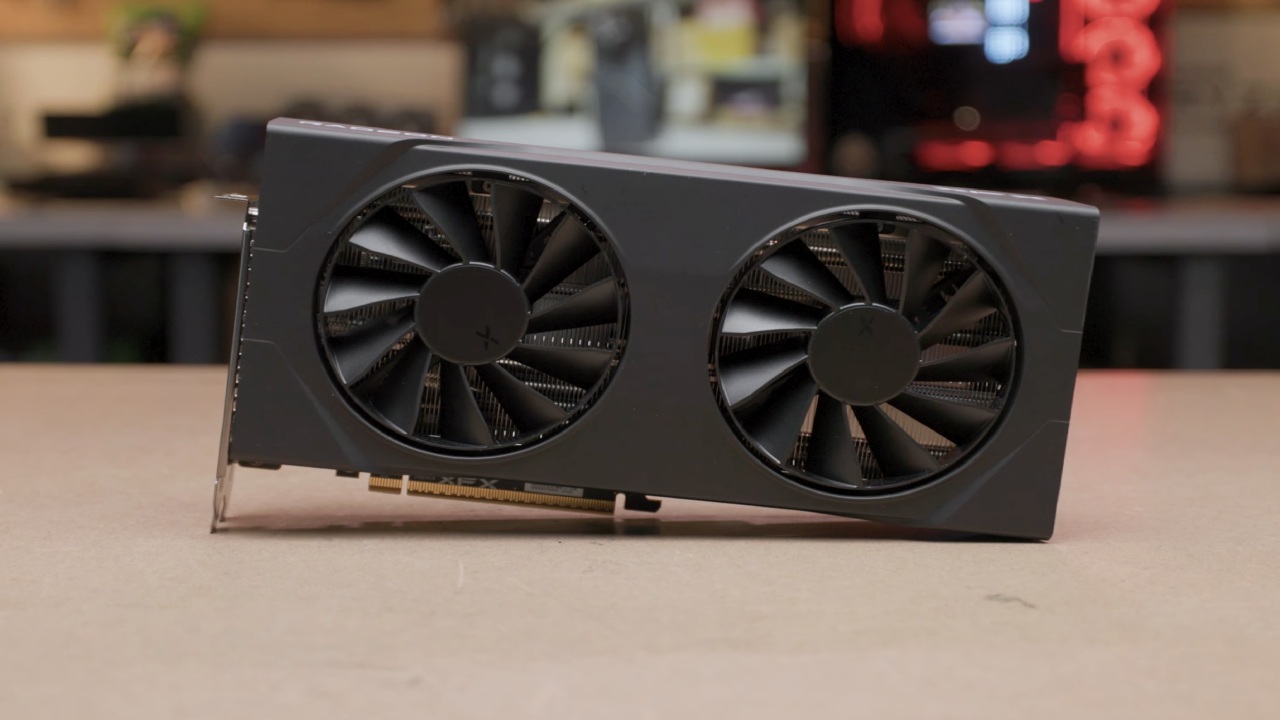
GPUs in Question
The AMD RX 9060 XT and the Nvidia RTX 5060 are two very different cards that we will use to test this idea. The RX 9060 XT is a full-length GPU, while the RTX 5060 is almost half as long and wide because it's made to fit in small PC cases.
Memory makes all the difference. The 16GB RX 9060 XT costs about $460, and the 8GB RTX 5060 costs $330. There is a $130 difference. You might naturally think that the RX 9060 XT is better because it costs more and has more VRAM. On the other hand, tech specs don't always tell the whole story.
Test System and Constraints
We tested with the Ryzen 5 5600, a very cheap CPU, and a low-profile CPU fan. It came with a 600W SFX power source, a 1TB M.2 drive, and 16GB of RAM. The motherboard was a B550M ITX.
There was no room for case fans in the tiny ITX box that held everything. There were strict rules. GPUs could be up to 300 mm long and 69 mm tall.
The RX 9060 XT's huge heatsink and three fans made it much cooler than the other two. The small RTX 5060 with a single fan, on the other hand, needed some help.
We used an undervolt setting to keep temperatures low while maintaining stock speeds. These kinds of improvements can make a big difference in small-form-factor computers.
Real-World Game Performance
The RTX 5060 with 8GB of VRAM was clearly the best after all the tests were completed. The main reasons for this were the real use of VRAM and the overall price-to-performance ratio.
Most of the games tested ran better on the RTX 5060. The reason for this might be that those games work better with Nvidia GPUs. In theory, having more VRAM is better, but how it works in practice depends heavily on the game.
A huge VRAM buffer isn't needed for all new games. Even with the settings turned up, many games worked fine on 8GB. The results were really based on the title being tested.
When 16GB of VRAM Makes a Difference
Having more VRAM can indeed make a huge difference in some games. 16GB of memory is best for games designed to use more memory, especially when pushing higher resolutions or turning up quality settings.
For instance, if there isn't enough VRAM, some very demanding games might not even work properly. In those situations, the 16GB RX 9060 XT is a must-have.
If you like textures that are too detailed, assets that are too high-resolution, and settings with too many details, the extra memory gives you room to breathe and stay steady. The important thing to remember is that this is not how all games act.
Optimization Matters More Than You Think
Some games are very well designed and run quickly, regardless of the VRAM size you use. In that case, you could pick the RTX 5060, save $130, and use that money for something else, like a bigger hard drive.
Game optimization is a major factor in determining how well a game performs. The amount of VRAM usage does not promise smoother gameplay on its own. Some games use more memory for small visual features that are hard to notice when the game is moving quickly.
Visual Differences vs Performance
Think about what the difference is between 1080p low settings and overkill settings in a fast-paced game. Most of the time, there isn't much change to the eye. The "overkill" setting may use a lot more VRAM for features that are hard to see during intense action scenes.
Those small changes to the textures are hard to notice when things are moving quickly, and explosions are on the screen. In those cases, it makes a lot more sense to lower the detail settings to save VRAM and prioritize speed.
We would personally cut some details to save VRAM and focus on making the game run more smoothly, rather than pursuing barely noticeable visual improvements.
Choosing the Right Card for Your Build
When choosing a GPU, the games you play and which card gives you the best value for money for those games matter most.
If most of your games are well-optimized and fit on an 8GB SSD, the RTX 5060 is a great choice because it offers great value and performance in small builds. The 16GB RX 9060 XT gives you more security and room to grow if you play a lot of memory-intensive games or want to use the highest image settings without any problems.
Your choice will depend on your income, cooling needs, case size, and the limits of your power supply. Efficiency and heat management are just as important as raw specs in small ITX systems with strict limits on CPU height (69 mm) and GPU length (300 mm).
Final Thoughts
More VRAM is indeed better, but sometimes it is not needed. It turns out 8GB isn't useless in many current games. On the other hand, some games need 16GB and won't work right without it.
Which one you choose relies on what games you play, how you set up your settings, and how important smooth performance is to you. A bigger VRAM buffer isn't always better. Sometimes, smart settings changes and knowing how to optimize games are more important.
Also, check our other articles below :
- ASUS ROG Ally X Handheld Review: Double the Battery, Double the Comfort
- Nintendo Switch 2 Vs. Original Switch 1: A Full Comparison
- How To Connect A Camera And Join Voice Chat With Nintendo Switch 2
- Nintendo Switch 2 Review: Handheld Performance, Features & Value Breakdown
- ROG Xbox Ally X Vs. ROG Ally X: Display, Battery & Controls
- ASUS ROG Ally X vs. Steam Deck OLED: Display, Battery & Gaming Benchmarks
- MSI Claw 8 AI+ Review: Display, Controls & Gaming
- Nintendo Switch 2 vs. Steam Deck OLED: Gaming, Performance, Battery, Display and Value
- PlayStation Portal Review: Remote Play, Cloud Streaming & Travel Gaming
- PlayStation Portal vs. Lenovo Legion Go: Best Portable Gameplay
- Cyberpunk 2077 Patch 2.3 FPS Test on MSI Claw 8 AI+
Editor, NoobFeed
Gaming Hardware Updates
No Data.