
ASUS ROG Strix B850-E Gaming Wi-Fi Review: Performance, VRM Cooling, PCIe 5.0
B850 chipset provides strong PCIe 5.0 bandwidth at a lower cost compared to flagship X870 motherboards.
Hardware by Masaru Hoshino on Aug 23, 2025
ROG Strix B850-E Gaming Wi-Fi shows up at a time when motherboards feel more expensive than ever, leaving many of us wondering where the balance between price and performance really is.
High-end boards keep climbing in cost, and for a lot of gamers and creators, they're simply out of reach. That's why the B850 series matters—it tries to bring modern features, strong performance, and solid build quality into a range that doesn't instantly break the budget.
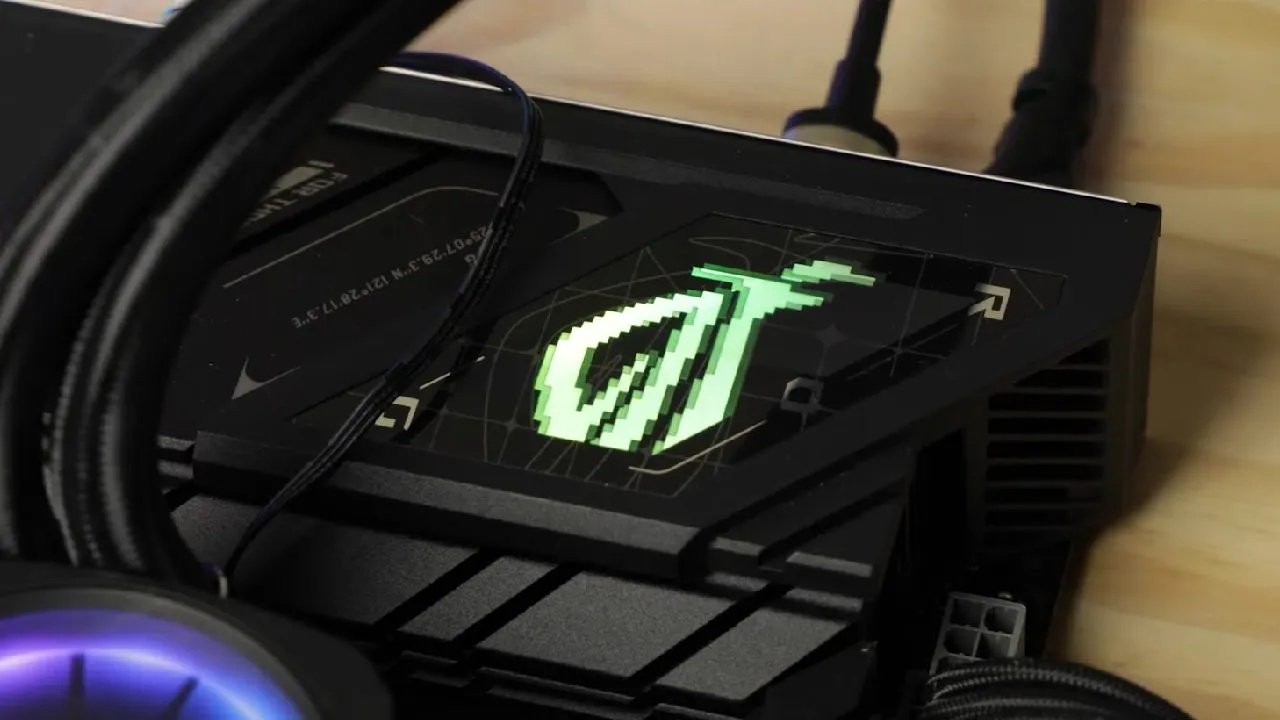
At $350 before taxes, it's tough to call this a valid budget option, but compared to the heavy hitters in the X-series lineup, it feels like a refreshing middle ground.
You still get the features and reliability that matter, but without paying the kind of price tag that makes you second-guess the whole build.
Design and Build Quality
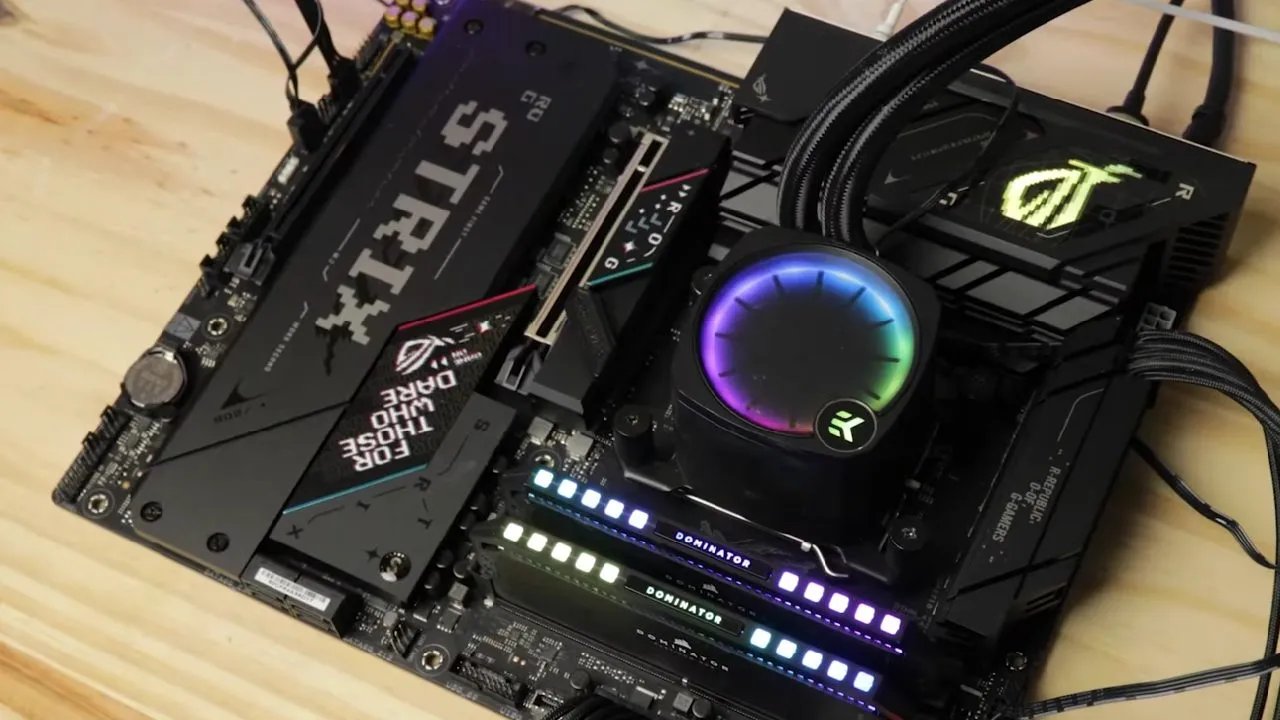
The ATX board features 8 PCB layers, ensuring less component interference and enhanced VRM cooling. Its design remains true to the Strix lineup—dark, angular, laser-cut, and pointy with stylish turquoise-blue accents, flashy pink highlights, and bold lettering.
RGB is kept subtle with a single backlit ROG eye on the main VRM block, adding flair without being excessive. The overall finish is polished and premium, showing clear attention to design.
Chipset and CPU Support
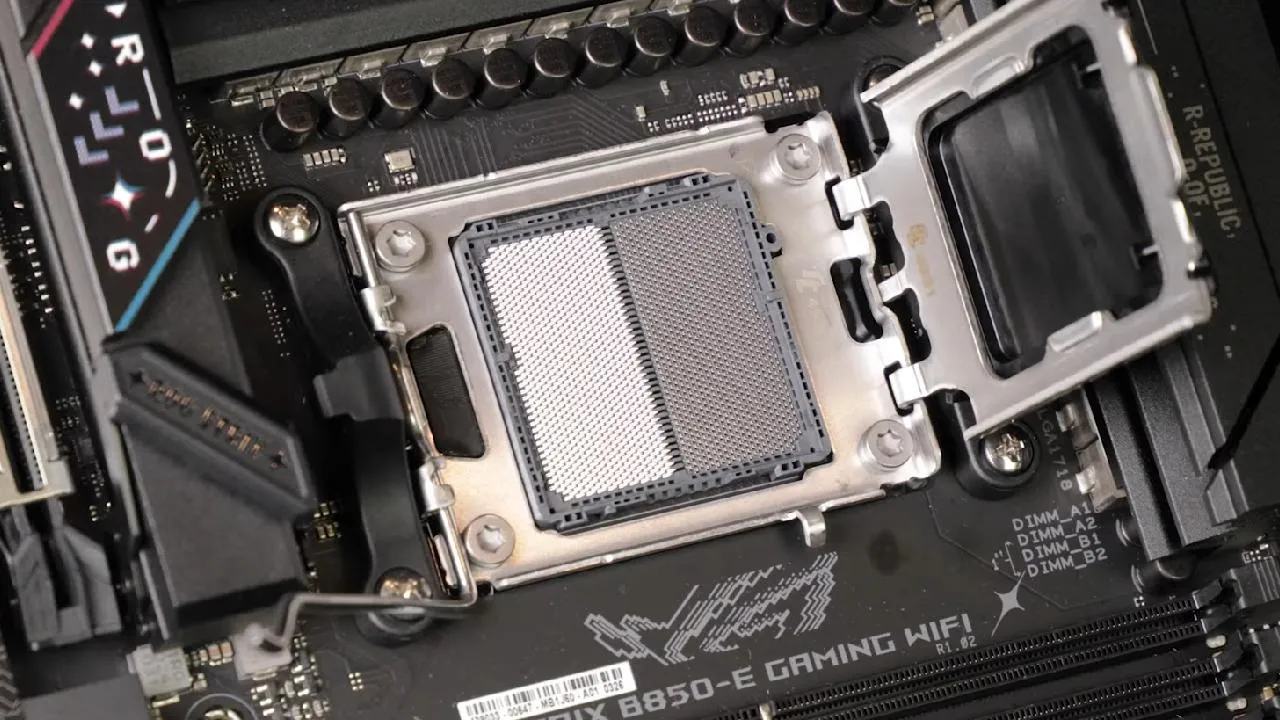
New B850 chipset powers the board, which can accommodate a range of Ryzen CPUs using the AM5 socket. B850 is a good choice for gaming setups without going over budget because it has the same number of PCIe 5.0 lanes as the more expensive X870/X870E. 2025 marks a shift in focus from X-series to B-series motherboards.
VRM and Cooling Performance
Equipped with a 1800A VRM in a 16+2+2 configuration, the board delivers 1440A dedicated to the CPU, giving it the muscle for overclocking. The two VRM cooling blocks employ premium thermal pads and a dense heatsink design.
The cooling performance is impressive—after an hour of stress testing, temperatures stabilized with excellent heat dissipation, leaving ample thermal headroom for overclocking. The VRM earns a solid 8/10 rating, ideally paired with at least a Ryzen 7 processor.
Memory and Storage
Up to 192GB of DDR5 dual-channel memory is supported, with rates of up to 8000MT/s, which is more than enough for production and gaming activities. The board has five M.2 storage slots, three of which support PCIe 5.0, compared to just two in the previous edition.
These drives are carefully cooled, with double thermal padding in strategic locations, especially the slot underneath the GPU. The redesigned screwless NVMe latch is precise, though other slots still rely on screws.
Expansion and GPU Support
A single PCIe 5.0 x16 slot ensures future GPU readiness, reinforced with metal bracing. Unlike its predecessor, the board drops dual-GPU support, which makes sense for a B-series product. Instead, ASUS introduces a brilliant built-in GPU eject trigger that makes removing large graphics cards effortless.
PCIe Bifurcation Trade-offs
Using additional PCIe 5.0 M.2 slots divides GPU bandwidth, and adding a PCIe 4.0 M.2 disables a secondary slot. However, you can still run a fully operational PCIe 5.0 GPU alongside a PCIe 5.0 M.2 drive, a feature previously reserved for higher-end motherboards. This is a major advantage for the B850 lineup.
Connectivity Options
Rear I/O is well-equipped, including a USB4 port with 40GB/s transfer and DP 2.4 video output, alongside multiple display connections. Networking is strong with 5Gb LAN and Wi-Fi 7 delivering speeds up to 6.5GB/s.
Audio comes from the Realtek ALC 4080 codec, reinforced by large capacitors and shielding, providing exceptional recording quality—great for streamers.
Bandwidth and Front Panel
Overall bandwidth is about 30% less than the X870E, but it still delivers a massive 140GB/s. Front panel I/O remains modest with a 10GB Type-C and no supercharging ports, which feels slightly limited given the price range.
Cooling and Troubleshooting Features
Eight PWM fan headers with water pump support are included with the board. Although it's adequate for the majority of rigs, fans of custom water cooling might find it insufficient.
Troubleshooting is excellent with a Q-Code OLED display, BIOS flashback, clear CMOS button, and onboard power controls—all useful for enthusiasts.
Final Thoughts
At $350, ROG Strix B850-E Gaming Wi-Fi undercuts its X870E sibling by $150 while offering nearly identical fundamentals. This board is among the best solutions under $400 because of its PCB quality, storage options, PCIe bandwidth, and connectivity. This B850-E is the best option in ASUS's range if you're looking for a gaming-ready, well-equipped motherboard with outstanding design and future-proofing.
Also, check our other hardware articles:
- AMD Ryzen 9 9950X3D Review: Setting The Standard For 2025 Gaming CPU
- Amazon Luna 2025 Review: Is Prime Gaming's Cloud Service Your Go-To For Casual Fun?
- AMD RX 9070 XT Review: AMD's RDNA 4 Champion for 1440p Gaming
- GeForce Now Ultimate: Ditching Your Gaming PC For Cloud RTX 4080 Power?
- NVIDIA GeForce RTX 5080 Review (2025): Still A 4K Gaming Powerhouse?
- Intel Core Ultra 9 285K Review And Performance Breakdown (2025)
- AMD Ryzen 7 9800X3D Review: 3D V-Cache Goes God Mode with Stunning Gaming Performance
- Intel Core Ultra 9 285K vs AMD Ryzen 7 9800X3D: In-Depth Gaming Performance and Benchmark Comparison
- NVIDIA GeForce RTX 5080 Super Performance In Cyberpunk 2077: Path Tracing & DLSS 4.0 Tested
- RTX 5090 Performance Testing In GTA 5 – 1080p, 1440p, and 4K Max Settings Benchmark
- AMD Radeon RX 9070 XT In Cyberpunk 2077: Ray Tracing & FSR 4.0 Tested
- Intel Arc B580 Review: The $250 GPU Revolutionizing 1440p Gaming
- Intel Arc B570 Vs. B580: Value, Specs, And Real-World Gaming Performance
- Intel Arc B570 Review: Efficient Xe2 Performance At An Affordable Price
- RTX 5090 Laptop Vs. M4 Max MacBook Pro: Ultimate Raw Performance Vs. Battery Endurance
- Intel Arc b580 Vs. RTX 4060: Game Performance And Value Analysis
- RTX5090 Hell Is Us Demo 4K Ultra Benchmark: DLSS Vs. Native Performance Guide
- NVIDIA RTX 5070 Review: Mid-Range Muscle or Marketing Hype?
- Nintendo Switch 2 Review: Handheld Performance, Features & Value Breakdown
- RTX 5070 Ti Review: Performance, Thermals & Power Efficiency Tested
- Samsung Odyssey OLED G81SF Review 2025: Ultimate 32-Inch QD-OLED Gaming Monitor
- AMD RX 9070 Performance Review: Thermals, Clocks, and Real-World FPS
- AMD Ryzen 5 7600 Review: Best Budget Gaming CPU of 2025?
- AMD Radeon RX 7800 XT Review: RDNA 3 Power For Midrange Gaming
- Asus ROG RTX 5090 Astral OC Vs. Founders Edition: The 4K Gaming Benchmark
- ASUS ROG Astral RTX 5090 OC Edition Review: 32GB GDDR7 & 4K Gaming Benchmark
- Intel Core i5-13400F Gaming Performance: Still Worth It in 2025?
- ASUS GeForce RTX 5090 LC Liquid Cooled GPU Review: Unmatched Silence & Speed
- ASUS ROG Ally X Handheld Review: Double the Battery, Double the Comfort
- Lenovo Legion Go S Review: The Ultimate Steam Deck 2 Alternative
- Sapphire NITRO+ AMD Radeon RX 9070 XT Review: The Ultimate 4K Gaming GPU
- Alienware 16 Area 51 Review: The Ultimate 2025 Gaming Laptop
- Alienware Area-51 Review: Unmatched 4K, Thermal, and Acoustic Performance
- AMD Ryzen 7 7800X3D: Delivers Gaming Performance Far Beyond Expectations
- AMD Ryzen 9 7900X Review: Powering the AM5 Era with DDR5 & PCIe 5.0
- Intel Core i9‑14900K vs. AMD Ryzen 7 7800X3D: Power Profiles & Gaming Benchmarks
- Intel Core i9 14900K: Specs, Benchmarks, and Competitor Comparison
- ASRock Radeon RX 7800 XT Challenger OC Review: Best Price-to-Performance GPU of 2025
Editor, NoobFeed
Gaming Hardware Updates
No Data.