
Pokémon Pokopia Guide | How to Play With Friends Online
Unlock online multiplayer and invite friends into your world with Link Play.
Game Guide by Jubair Baky on Mar 15, 2026
Playing with friends online in Pokémon Pokopia is not available right away. You need to progress the story a little first. Once the feature opens, you can invite friends into your world, join their session, or even set up a shared Cloud Island. The process is simple, but you need to unlock it before the option appears.
How to Unlock Online Multiplayer
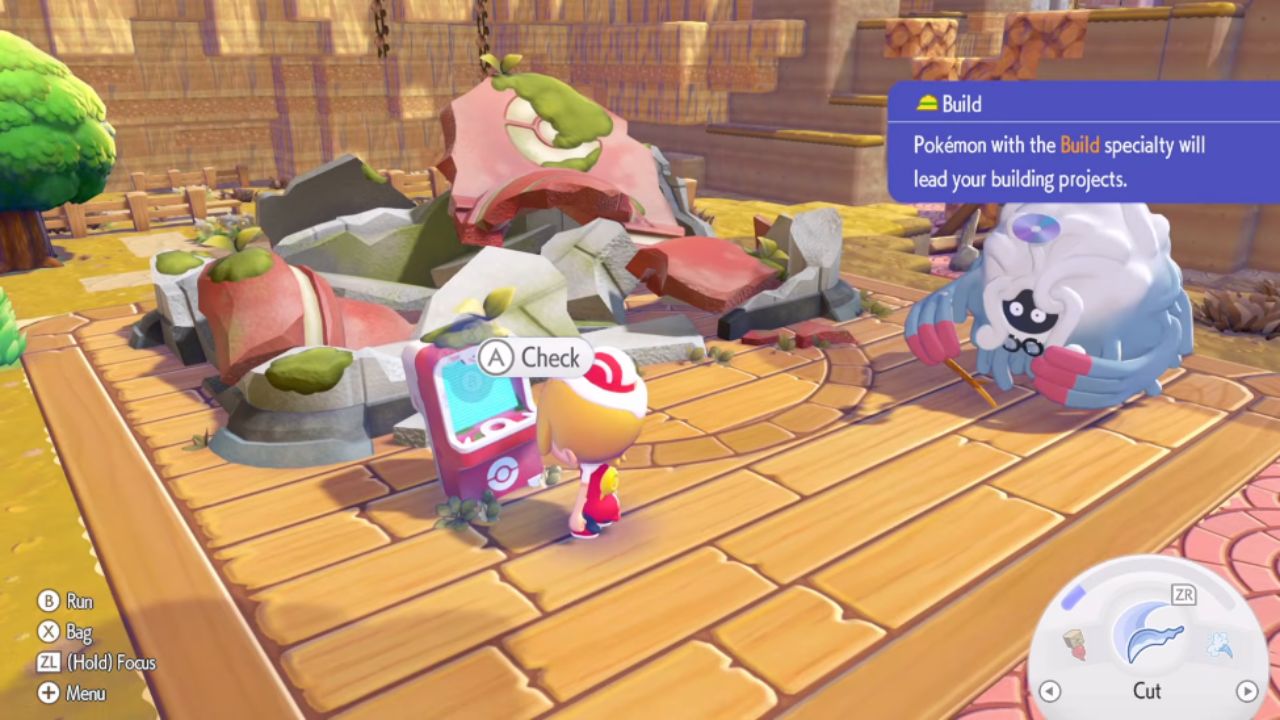
To unlock online multiplayer, you need to keep playing until you reach the area near the destroyed Pokémon Center. At this point, you should be at Level 2 and receive a quest from Professor Tangrove. The quest tells you to make your own house. After you finish that step, check the PC next to the destroyed Pokémon Center. This is where Link Play becomes available.
How to Invite Friends Online
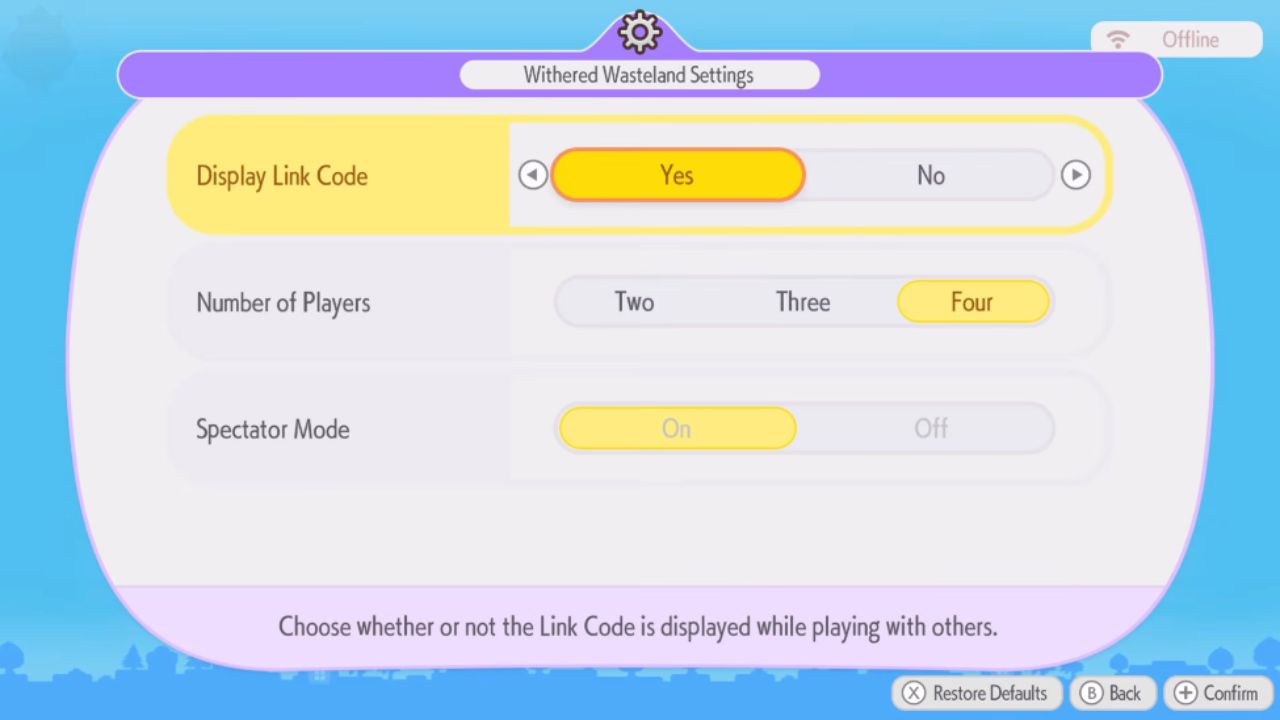
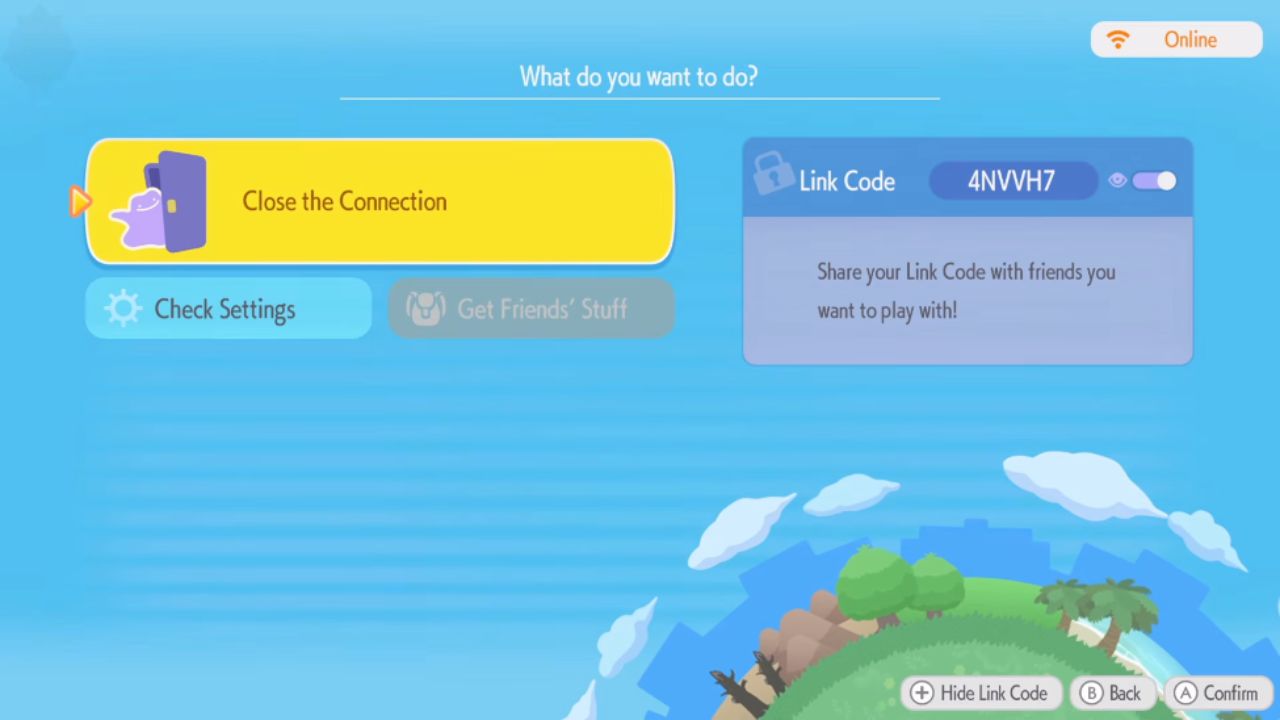
Once Link Play is unlocked, use the option at the PC to open multiplayer settings. From there, you can invite other people into your world. They can join either online or locally if they are also playing. Before starting, you can set the number of players and turn Spectator Mode on if more people want to join. After confirming the settings and connecting online, a Link Code appears on the right side of the screen. Anyone who enters that code can join your world.
How to Stop Online Play
If you want to end the session, simply quit out of the multiplayer screen. This stops the online play and closes the current room. That makes it easy to end a session once you are done exploring or playing together.
How to Join a Friend’s World
You can also visit a friend instead of hosting your own session. To do this, enter the specific code your friend shares with you. This works for both online and local play. Once the correct code is entered, you can connect to their world and play there instead.
How Cloud Island Works
Another option is to create a Cloud Island. This is an always-online island for you and your friends. You can generate it with a Magic Number, which works like a world seed. If you already know the seed you want, enter it directly.
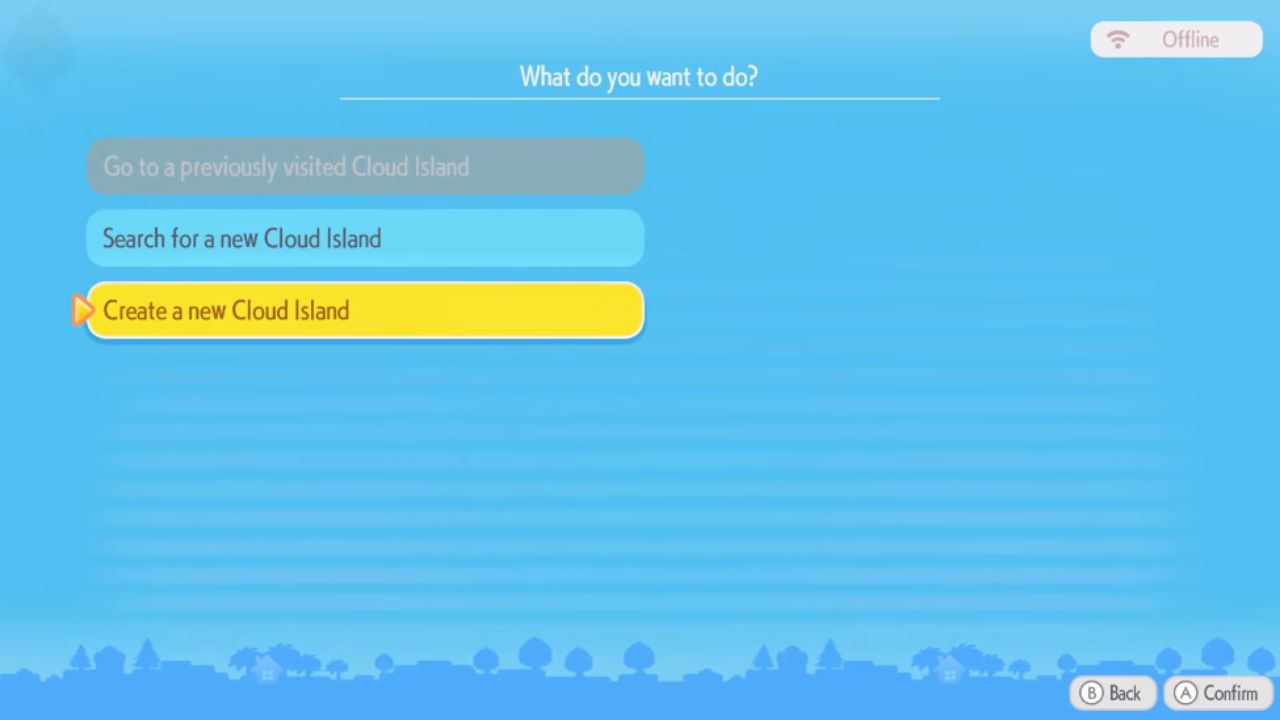
You can also generate a random Cloud Island, give it a name, and then let other people join it. This is a useful choice if you want a shared world that stays available for your group.
Also, check our Pokémon Pokopia Review and other guides below:
- Pokémon Pokopia Guide | How to Find Chef Dante’s Buddy’s Book
- Pokémon Pokopia Guide | How to Get Hot-Spring Water
- Pokémon Pokopia Guide | How to Get 50 Electricity in Withered Wasteland
- Pokémon Pokopia Guide | How to Get the Washing Machine, Refrigerator, and Game Boy
- Pokémon Pokopia Guide | How to Fix Humidity Stuck at 71
- Pokémon Pokopia Guide | How to Get Fluff and Paper
- Pokémon Pokopia Guide | How to Get Onix’s Smooth Tall Grass Habitat
- Pokémon Pokopia Guide | How to Get Squishy Clay and Make Bricks
- Pokémon Pokopia Guide | How to Get Squishy Clay and Make Bricks
- Pokémon Pokopia Guide | How to Make Gimmighoul’s Mini Museum Habitat
- Pokémon Pokopia Guide | How to Wake Up Snorlax
- Pokémon Pokopia Guide | How to Get Beans, Tomatoes, and Wheat
- Pokémon Pokopia Guide | How to Move and Destroy Buildings
- Pokémon Pokopia Guide | How to Make and Move Water Sources
- Pokémon Pokopia Guide | How to Activate the Water Wheels in Withered Wasteland
- Pokémon Pokopia Guide | How to Raise Humidity for Slowpoke
Editor, NoobFeed
Latest Articles
No Data.