
Pokémon Pokopia Guide | How to Move and Destroy Buildings
A simple guide to relocating and demolishing buildings you have made in Pokémon Pokopia.
Game Guide by Jubair Baky on Mar 15, 2026
Moving buildings in Pokémon Pokopia is not as simple as picking them up right away. At first, you can eventually get enough strength to move small buildings by holding A, but that only works for certain small structures.
If you want to properly move a house, a generator, or another building you have placed, you need special kits. That is the real method for relocating or destroying structures in your base.
How to Move Buildings in Pokémon Pokopia
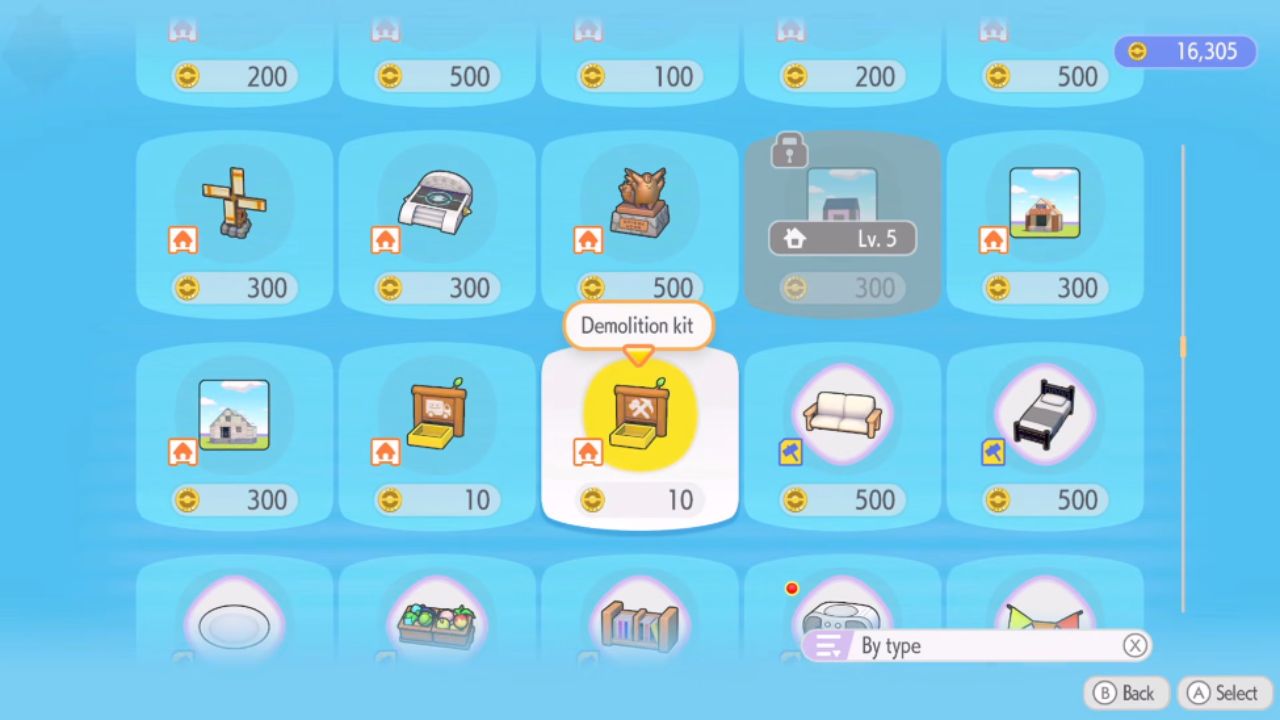
To move a building, you need a Relocation Kit. This item costs 10 Coins each and is available in unlimited supply. Once you buy one, place it in front of the building you want to move. After that, bring a Pokémon with the Bulldoze Specialty to the kit. That is what allows the structure to be moved.
This is useful when you want to change the layout of your area or move an important building to another place for a mission. In the example from the attachment, a Generator is moved to another part of the map because it is needed elsewhere. The basic idea stays the same for other movable structures you built yourself.
How to Destroy Buildings
If you do not want to move a building and only want to remove it, use the Demolition Kit instead. This item destroys the building entirely. Nothing is left behind after it is used. That makes it the better choice when you want to clear space and no longer need the structure.
The process is almost the same as relocation. Place the Demolition Kit in front of the building, then bring a Pokémon with the Bulldoze Specialty to the spot. Once that is done, the building can be demolished.
Which Buildings Can Be Moved
Not every structure in Pokémon Pokopia can be moved. This is the part that can confuse many people. Only buildings you made yourself can be relocated or demolished with these kits. World structures that already exist on the map cannot be moved.
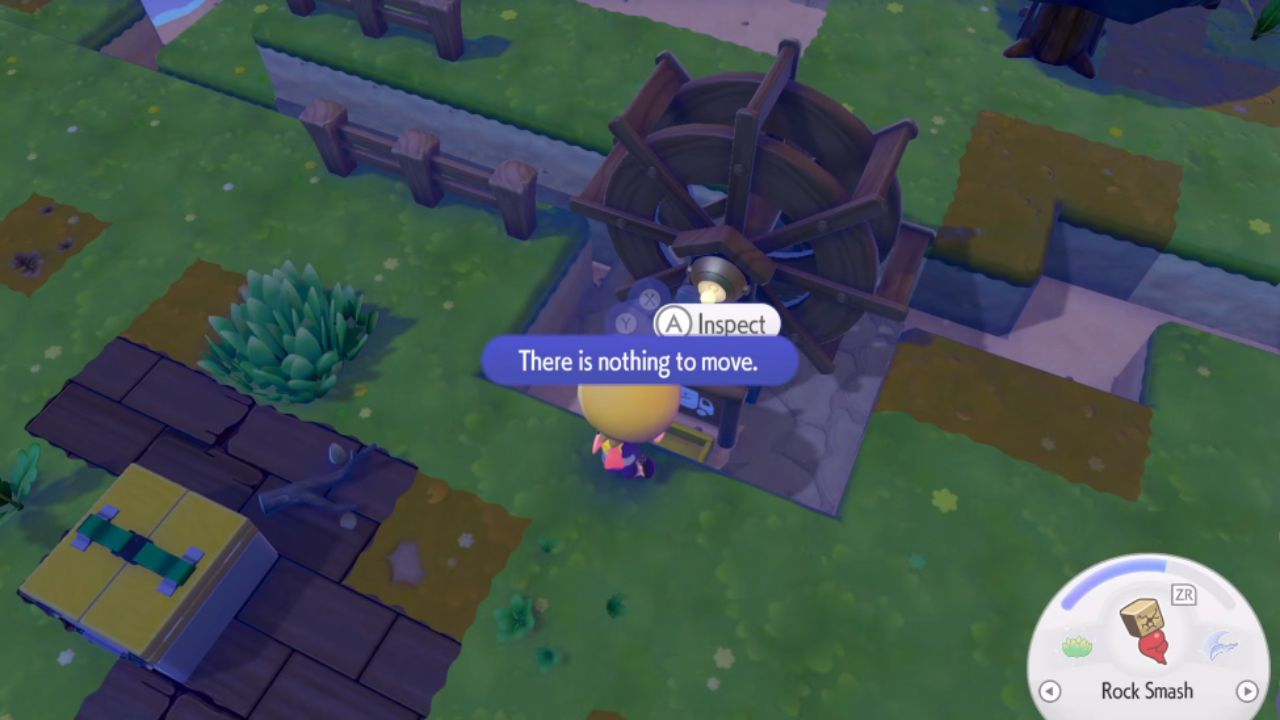
If you place a kit in front of something and the game says there is nothing to move, that means the object is fixed in the world. A Lighthouse is one example of this. Even if you place the kit in front of it, it will not work because it is part of the map. But if you place the same kit in front of your own house or another player-made structure, it will snap into place and work correctly.
How to Tell if a Structure Is Movable
A good way to check is to watch how the kid behaves. If the Relocation Kit or Demolition Kit snaps to the front of the building, that usually means the structure can be changed. If it does not work and shows that there is nothing to move, then it is not a movable building.
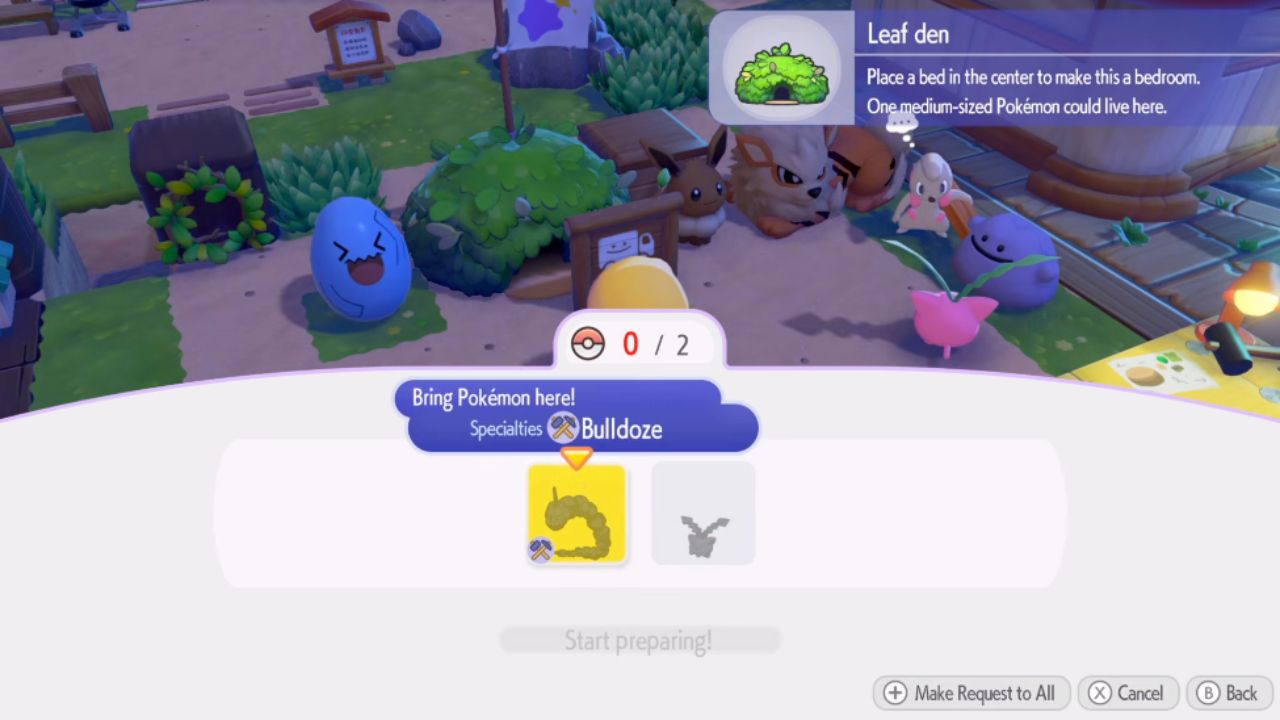
Once you understand this rule, managing your base becomes much easier. You can move useful buildings where you need them and remove anything that gets in the way.
Also, check our Pokémon Pokopia Review and other guides below:
- Pokémon Pokopia Guide | How to Find Chef Dante’s Buddy’s Book
- Pokémon Pokopia Guide | How to Get Hot-Spring Water
- Pokémon Pokopia Guide | How to Get 50 Electricity in Withered Wasteland
- Pokémon Pokopia Guide | How to Get the Washing Machine, Refrigerator, and Game Boy
- Pokémon Pokopia Guide | How to Fix Humidity Stuck at 71
- Pokémon Pokopia Guide | How to Get Fluff and Paper
- Pokémon Pokopia Guide | How to Get Onix’s Smooth Tall Grass Habitat
- Pokémon Pokopia Guide | How to Get Squishy Clay and Make Bricks
- Pokémon Pokopia Guide | How to Get Squishy Clay and Make Bricks
- Pokémon Pokopia Guide | How to Make Gimmighoul’s Mini Museum Habitat
- Pokémon Pokopia Guide | How to Wake Up Snorlax
- Pokémon Pokopia Guide | How to Get Beans, Tomatoes, and Wheat
- Pokémon Pokopia Guide | How to Play With Friends Online
- Pokémon Pokopia Guide | How to Make and Move Water Sources
- Pokémon Pokopia Guide | How to Activate the Water Wheels in Withered Wasteland
- Pokémon Pokopia Guide | How to Raise Humidity for Slowpoke
Editor, NoobFeed
Latest Articles
No Data.