
Pokémon Pokopia Guide | How to Make and Move Water Sources
Unlock Paldean Wooper’s skill to create waterfalls and place water where you need it.
Game Guide by Jubair Baky on Mar 15, 2026
Moving water in Pokémon Pokopia is part of a very useful side activity in Bleak Beach. This feature lets you create a waterfall and place water in new spots. To do that, you need to progress through Piplup’s quests first. Once that is done, you can unlock the move that lets you suck up liquid and place it somewhere else.
How to Unlock Water Movement in Pokémon Pokopia
To get the ability to move water, you need to complete the Piplup quests in the Bleak Beach area. During this questline, Piplup will bring you to a place where it wants you to create a waterfall. At that point, the quest leads you to a Paldean Wooper, which is the Pokémon that helps you learn how water movement works.

How to Get Paldean Wooper
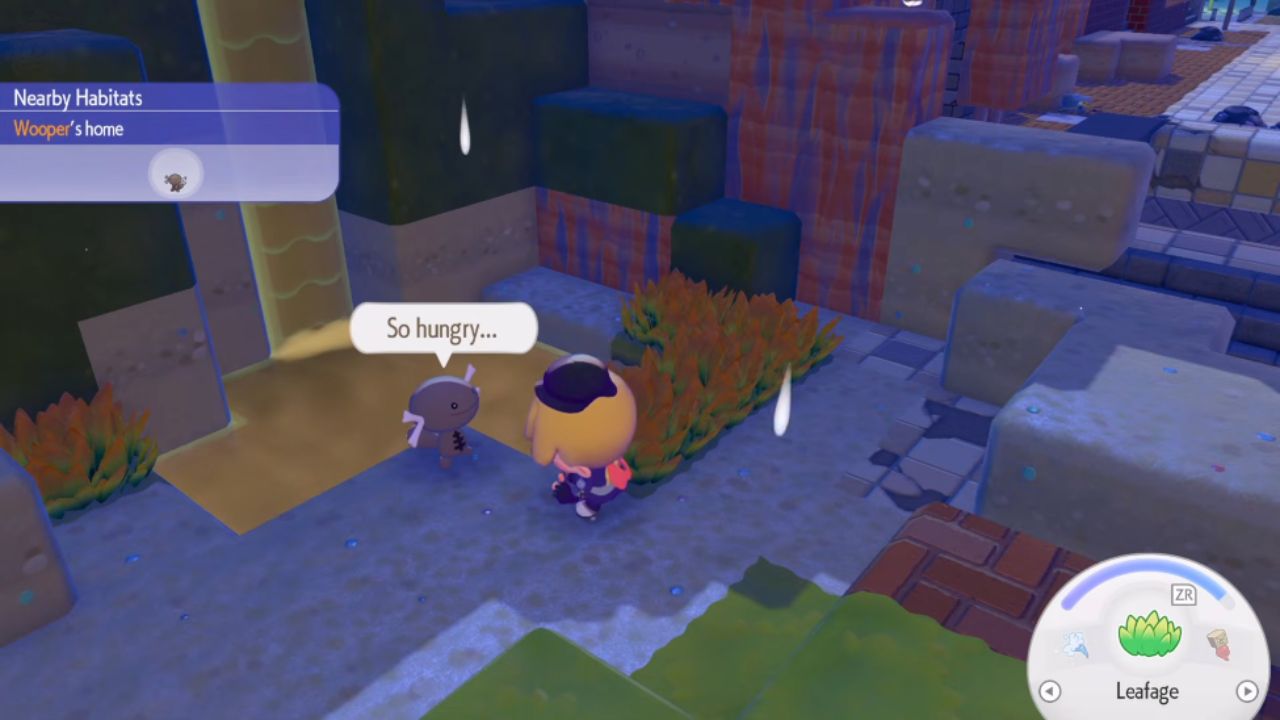
When Piplup asks for the waterfall, you need to find Paldean Wooper by setting up the right conditions nearby. This is done by placing Leafage next to the muddy water area. After that, give Paldean Wooper three Tomatoes. Once you do this, the Pokémon teaches you the ability that allows you to suck up liquid and store water.
This is the key step. Without Paldean Wooper, you cannot make, move, or place a water source.
How to Suck Up and Place Water
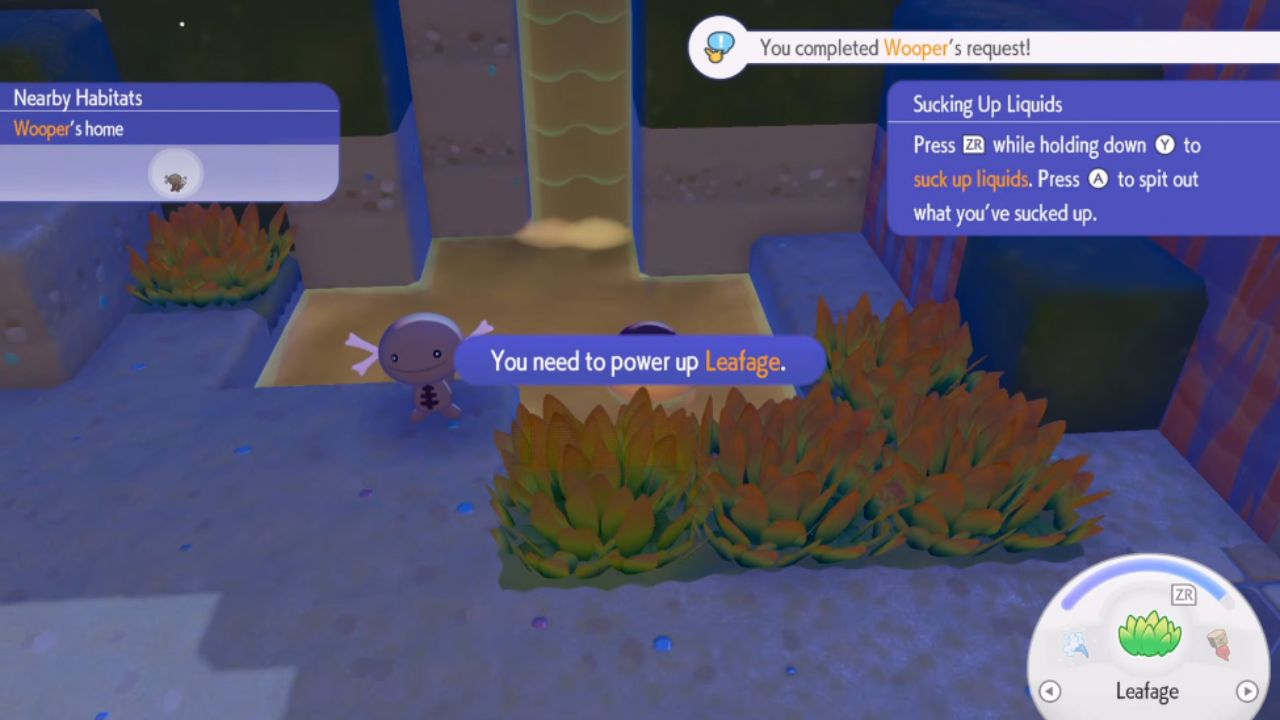
After learning the ability, hold Y to suck up liquid. Once the water is collected, you can carry it to another location and spit it out there. This lets you transfer water from one area to another and use it where the quest needs it.
You can tell the action worked when the liquid is visibly stored on you. Then, move to the target location and release it. This is how you complete the waterfall section and start using water more freely in the area.
How to Create the Waterfall
Once you have stored the water, go to the spot above the pond where Piplup wanted the waterfall to be. Place the liquid there, and it will flow down into the correct area. This creates the waterfall the quest asked for and completes that part of the request.
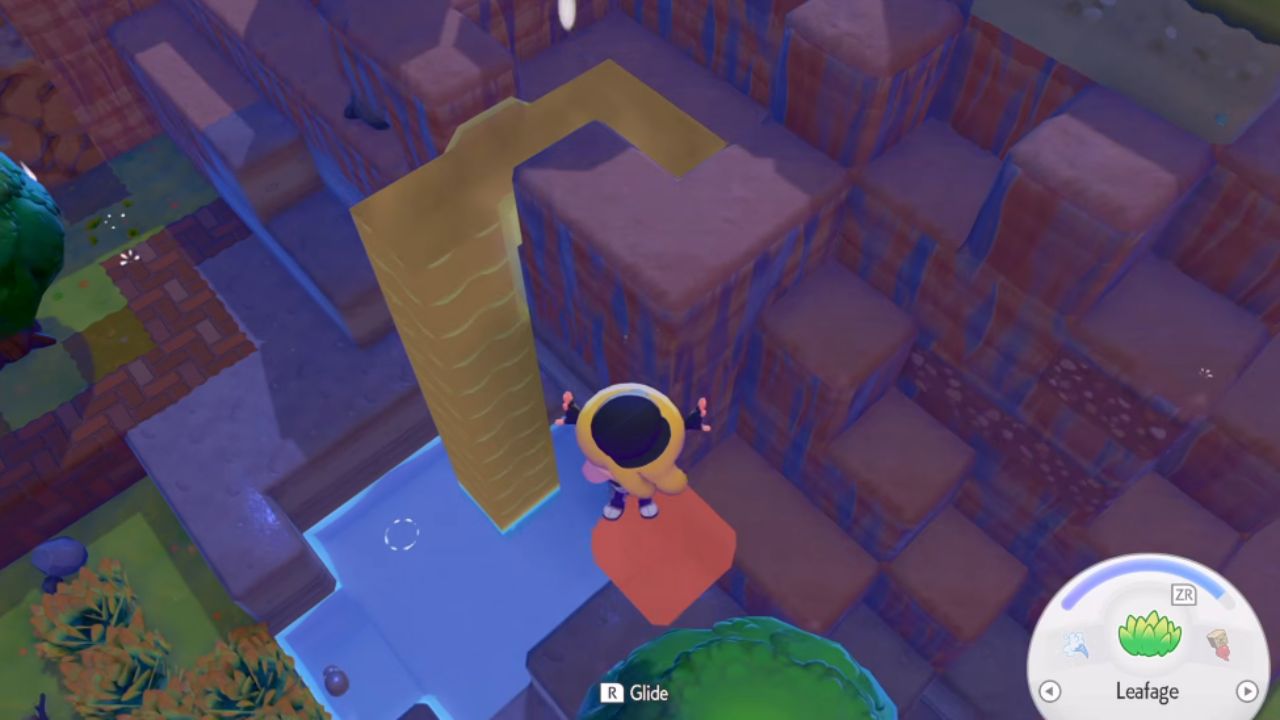
After this, the water-moving mechanic becomes much easier to understand. You simply collect liquid, carry it, and place it where needed.
Also, check our Pokémon Pokopia Review and other guides below:
- Pokémon Pokopia Guide | How to Find Chef Dante’s Buddy’s Book
- Pokémon Pokopia Guide | How to Get Hot-Spring Water
- Pokémon Pokopia Guide | How to Get 50 Electricity in Withered Wasteland
- Pokémon Pokopia Guide | How to Get the Washing Machine, Refrigerator, and Game Boy
- Pokémon Pokopia Guide | How to Fix Humidity Stuck at 71
- Pokémon Pokopia Guide | How to Get Fluff and Paper
- Pokémon Pokopia Guide | How to Get Onix’s Smooth Tall Grass Habitat
- Pokémon Pokopia Guide | How to Get Squishy Clay and Make Bricks
- Pokémon Pokopia Guide | How to Get Squishy Clay and Make Bricks
- Pokémon Pokopia Guide | How to Make Gimmighoul’s Mini Museum Habitat
- Pokémon Pokopia Guide | How to Wake Up Snorlax
- Pokémon Pokopia Guide | How to Get Beans, Tomatoes, and Wheat
- Pokémon Pokopia Guide | How to Play With Friends Online
- Pokémon Pokopia Guide | How to Move and Destroy Buildings
- Pokémon Pokopia Guide | How to Activate the Water Wheels in Withered Wasteland
- Pokémon Pokopia Guide | How to Raise Humidity for Slowpoke
Editor, NoobFeed
Latest Articles
No Data.