
Ryzen 7 9850X3D vs. GPU Upgrade: Where Should You Spend $500?
The Ryzen 7 9850X3D delivers incremental gaming gains while highlighting the growing importance of GPU performance at higher resolutions
Hardware by Tanvir Kabbo on Mar 22, 2026
There is no question that the Ryzen 7 9850X3D is going to join the pantheon of amazing gaming CPUs. With all the reviews out now and some time under its belt, the question remains whether AMD’s newest chip is the best CPU for a specific build.
This guide answers key concerns such as who this CPU is really for, who it isn’t for, when it makes sense as an upgrade, and whether it is good news for PC gamers overall.
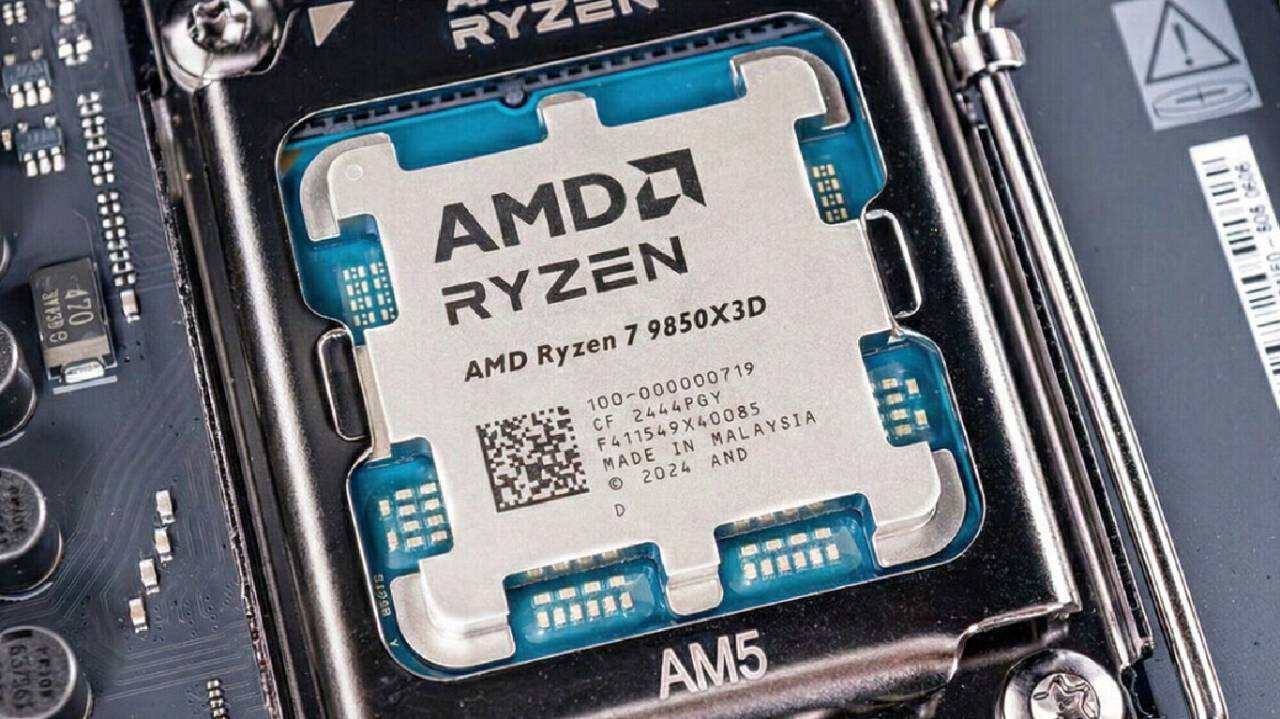
What the 9850X3D Actually Is
At a fundamental level, the 9850X3D is essentially a refinement of the Ryzen 7 9800X3D. It features a 400MHz higher max clock speed while maintaining the same architecture and a 120W TDP. The price also increases slightly, landing around $499, which is roughly $20 higher than its predecessor.
We see this as a manufacturing improvement rather than a generational leap. The chip achieves higher speeds on the same design, which is always a positive, but that does not automatically mean it is the right choice for every user.
Performance Uplift: How Much Better Is It?
Looking at gaming benchmarks across multiple titles at 1080p, the 9850X3D does show improvement over both the Ryzen 7 7800X3D and the 9800X3D. However, the gains depend heavily on the game.
In some titles like Assassin’s Creed Shadows and Black Myth Wukong, the difference is negligible, sometimes as little as 3fps, and occasionally even favoring the older chip. On the other hand, competitive titles such as Marvel Rivals and Modern Warfare 3 benefit more from the higher clock speeds, where we see the 9850X3D pull ahead more clearly.
On average, performance increases about 3%–4% over the 9800X3D and roughly 10%–11% over the 7800X3D at 1080p. However, once we move to 1440p and 4K, where GPU load becomes dominant, the differences shrink significantly. In many real-world scenarios, the uplift ranges between 1.5% and 6.5%, which raises an important question about value.
Should You Upgrade From Older X3D CPUs?
If you already own a 9800X3D, upgrading to the 9850X3D is difficult to justify. The performance gain is marginal unless you are chasing every last frame in competitive esports scenarios at 1080p.
The uplift is more evident for people who utilize the 7800X3D, but it still needs to be thought about carefully. We suggest asking if that extra money could be better spent on anything else, like a GPU upgrade, which often makes a far bigger difference in performance.
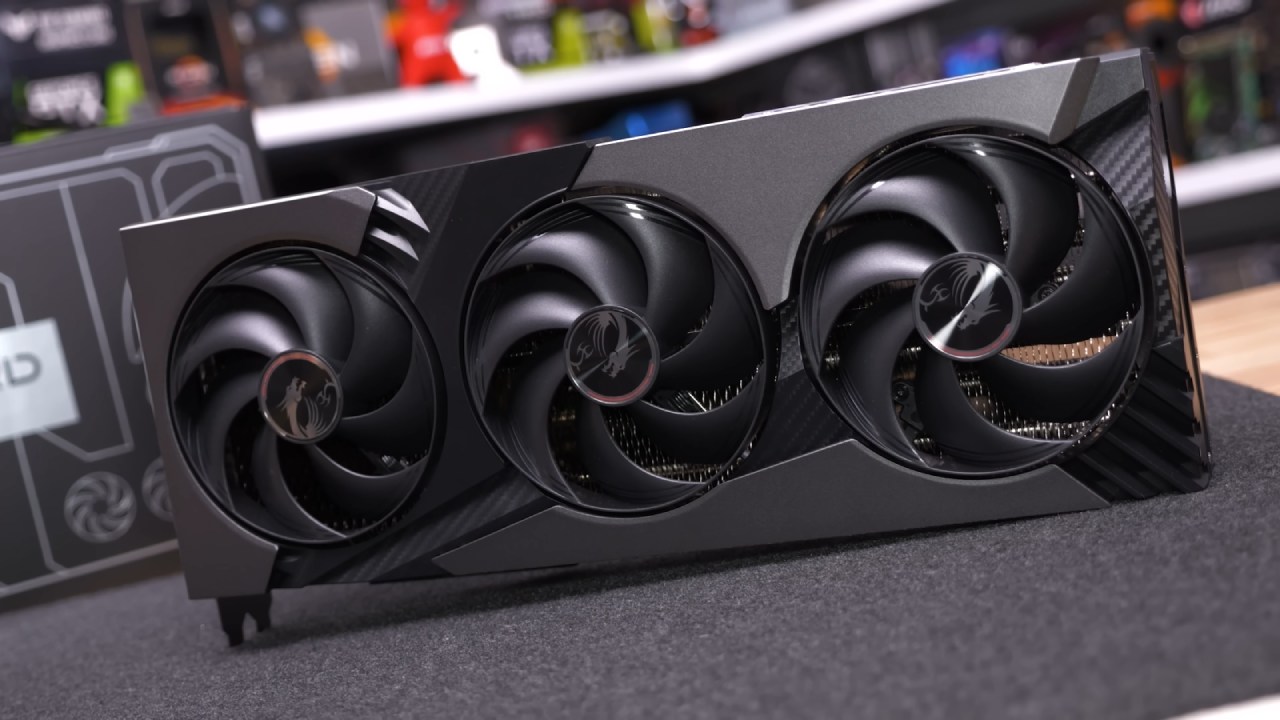
CPU vs GPU: Where Your Money Matters More
This is where things become more practical. The 9850X3D sits at around $499, while the 7800X3D can be found for as low as $384, creating a price gap of about $115.
We believe the smarter move in many cases is reallocating that budget toward a GPU upgrade. For example, choosing a non-X3D chip like the Ryzen 7 9700X could allow an upgrade from an RTX 5070 to a higher-tier GPU, potentially delivering around a 20% performance increase.
Even stepping down further to something like a Ryzen 5 9600X can free up budget for a stronger GPU such as an RTX 5070 Ti or equivalent. At higher resolutions like 1440p and 4K, those GPU gains will almost always outweigh the CPU differences.
Gaming at Higher Resolutions
If gaming at 1440p or 4K with high settings, CPU differences become far less impactful. Even when used with high-end GPUs like the RTX 5080 or RTX 5090, the 9850X3D doesn't make a big difference in most cases.
Unless you already have the best graphics gear, we suggest that you focus on upgrading your GPU first. The CPU is still important, but its effect is smaller as the resolution goes up.
Productivity and Creator Workloads
For users interested in content creation, the 9850X3D performs well but does not dominate. It shows around a 3% improvement in Photoshop over the 9800X3D, performs similarly to higher-end chips in Premiere Pro, and matches performance in DaVinci Resolve.
However, for workloads that benefit from more cores and threads, the Ryzen 9 9950X is often a better choice. If productivity is a major focus, the extra rendering and processing efficiency from higher core counts can outweigh minor gaming gains.
Who Should Actually Buy the 9850X3D?
The 9850X3D is best suited for a very specific group of users. If running a high-end GPU such as an RTX 5080, RTX 5090, or similar, and aiming to maximize gaming performance at 1080p or in competitive titles, this CPU can provide that final edge.
It is also a reasonable option for enthusiasts who want the absolute best gaming CPU available, regardless of diminishing returns.
However, for most users, especially those with mid-range GPUs or gaming at higher resolutions, the value proposition becomes less convincing.
.jpg)
Upgrade Scenarios: What Makes Sense
If upgrading from a system with a mid-range CPU like a 7600X and a GPU such as an RTX 5060, investing in a GPU upgrade will likely yield far better results. A $500 GPU upgrade can make your computer run up to 20% faster, whereas a CPU upgrade can only make it run 9% to 10% faster.
In these cases, we suggest putting GPU upgrades first because they make a bigger difference in more games.
Final Thoughts
The Ryzen 7 9850X3D is the best gaming CPU on the market right now, beating out the 9800X3D with small enhancements. However, those improvements are small and highly situational.
We see it as a premium, niche upgrade rather than a must-buy for the majority of gamers. The real decision comes down to how a system is used, what hardware is already in place, and where the budget will have the greatest impact.
Careful consideration of gaming resolution, GPU pairing, and workload requirements will determine whether this CPU is the right investment or whether that money is better spent elsewhere.
Also, check our other hardware articles:
- AMD Ryzen 9 9950X3D Review: Setting The Standard For 2025 Gaming CPU
- Amazon Luna 2025 Review: Is Prime Gaming's Cloud Service Your Go-To For Casual Fun?
- AMD RX 9070 XT Review: AMD's RDNA 4 Champion for 1440p Gaming
- GeForce Now Ultimate: Ditching Your Gaming PC For Cloud RTX 4080 Power?
- NVIDIA GeForce RTX 5080 Review (2025): Still A 4K Gaming Powerhouse?
- Intel Core Ultra 9 285K Review And Performance Breakdown (2025)
- AMD Ryzen 7 9800X3D Review: 3D V-Cache Goes God Mode with Stunning Gaming Performance
- Intel Core Ultra 9 285K vs AMD Ryzen 7 9800X3D: In-Depth Gaming Performance and Benchmark Comparison
- NVIDIA GeForce RTX 5080 Super Performance In Cyberpunk 2077: Path Tracing & DLSS 4.0 Tested
- AMD Radeon RX 9070 XT In Cyberpunk 2077: Ray Tracing & FSR 4.0 Tested
- Intel Arc B580 Review: The $250 GPU Revolutionizing 1440p Gaming
- Intel Arc B570 Vs. B580: Value, Specs, And Real-World Gaming Performance
- RTX 5090 Laptop Vs. M4 Max MacBook Pro: Ultimate Raw Performance Vs. Battery Endurance
- Intel Arc b580 Vs. RTX 4060: Game Performance And Value Analysis
- RTX5090 Hell Is Us Demo 4K Ultra Benchmark: DLSS Vs. Native Performance Guide
- NVIDIA RTX 5070 Review: Mid-Range Muscle or Marketing Hype?
- Nintendo Switch 2 Review: Handheld Performance, Features & Value Breakdown
- RTX 5070 Ti Review: Performance, Thermals & Power Efficiency Tested
- Samsung Odyssey OLED G81SF Review 2025: Ultimate 32-Inch QD-OLED Gaming Monitor
- AMD RX 9070 Performance Review: Thermals, Clocks, and Real-World FPS
- AMD Ryzen 5 7600 Review: Best Budget Gaming CPU of 2025?
- AMD Radeon RX 7800 XT Review: RDNA 3 Power For Midrange Gaming
- Asus ROG RTX 5090 Astral OC Vs. Founders Edition: The 4K Gaming Benchmark
Senior Editor, NoobFeed
Gaming Hardware Updates
No Data.