
The Outer Worlds 2 Guide | How to Repair Thermal Transfer
Here’s how you can repair the Thermal Transfer System.
Game Guide by Joy Rahman on Nov 06, 2025
Repairing the Thermal Transfer System is important in order to progress through The Outer Worlds 2. This guide will cover how you’ll be able to finish this part of the quest by showing you where to go and what to interact with.
You'll first need to identify where to go, open the map, and mark the following location where we shall find a large metal door at the entrance.
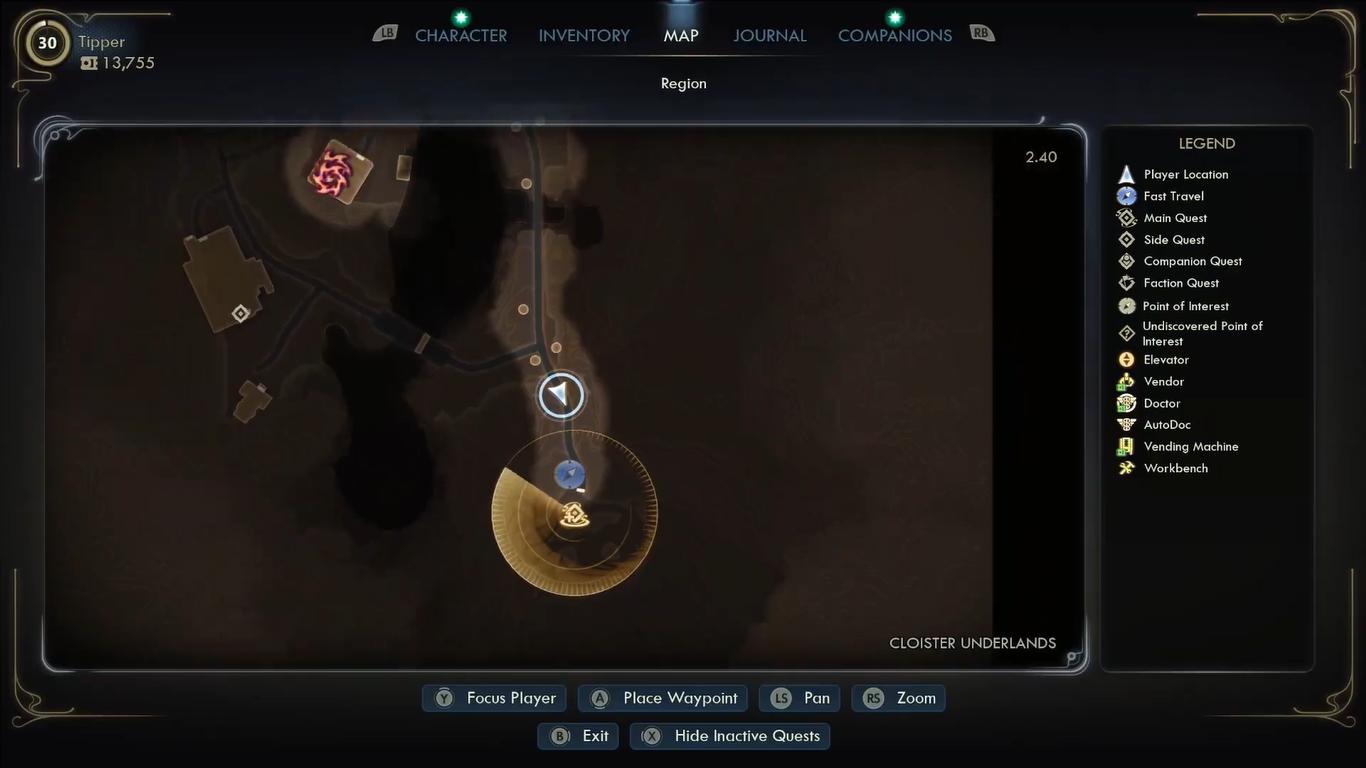
Proceed by interacting with the console, and once authorised, you’ll have access to the Thermal Transfer area. When you’re inside, there will be a bunch of enemies scattered across the area. Take them out before progressing any further.
At the entrance, there will be a control terminal that will show you the two damaged units that you need to fix. Activating it will display their locations on your HUD.
And before you move into the deeper areas, you’ll want to pick up any leftover loot or weapons scattered around the area.
Repairing the Auxiliary Pump
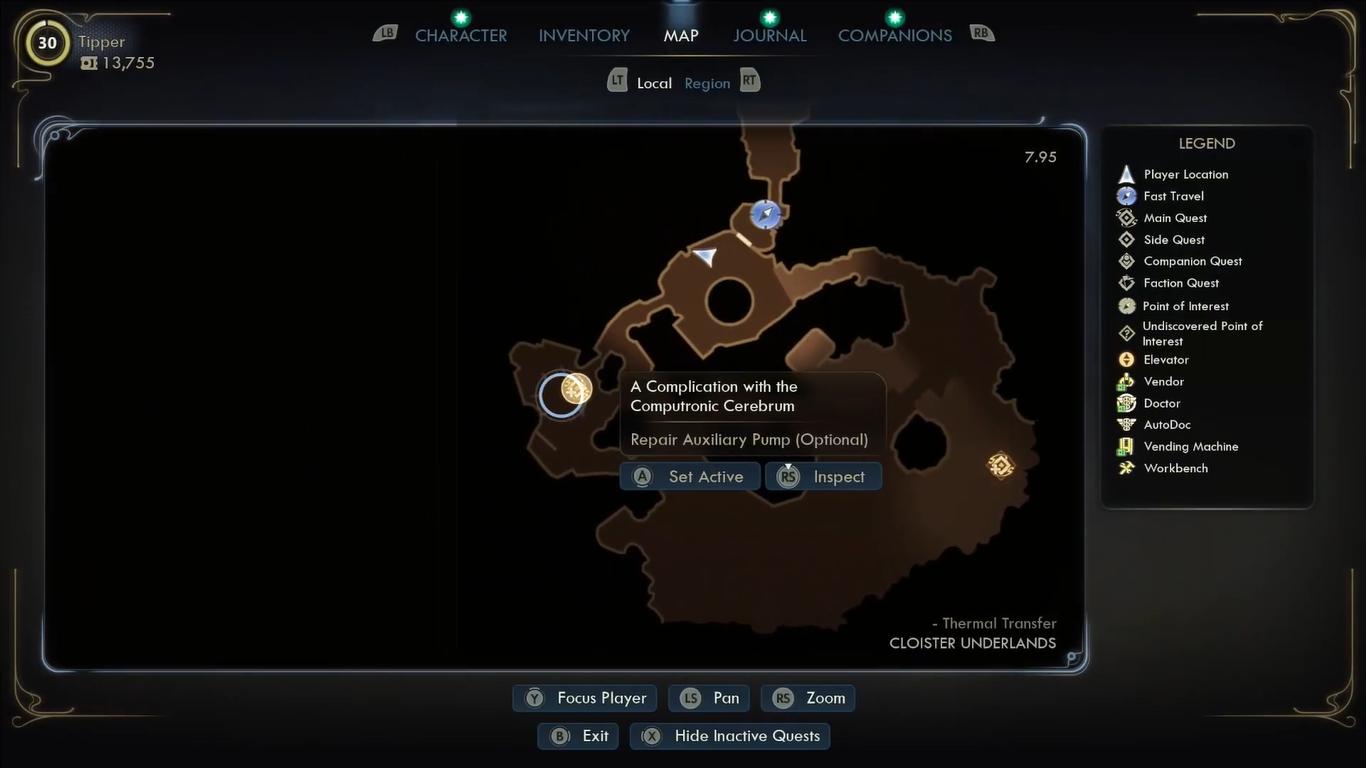
Follow the cable across the floor to locate the malfunctioning Pump. Once you interact with it, you will notice that you need an Auxiliary Pump Readjustment Kit or an Engineering skill of level 9.
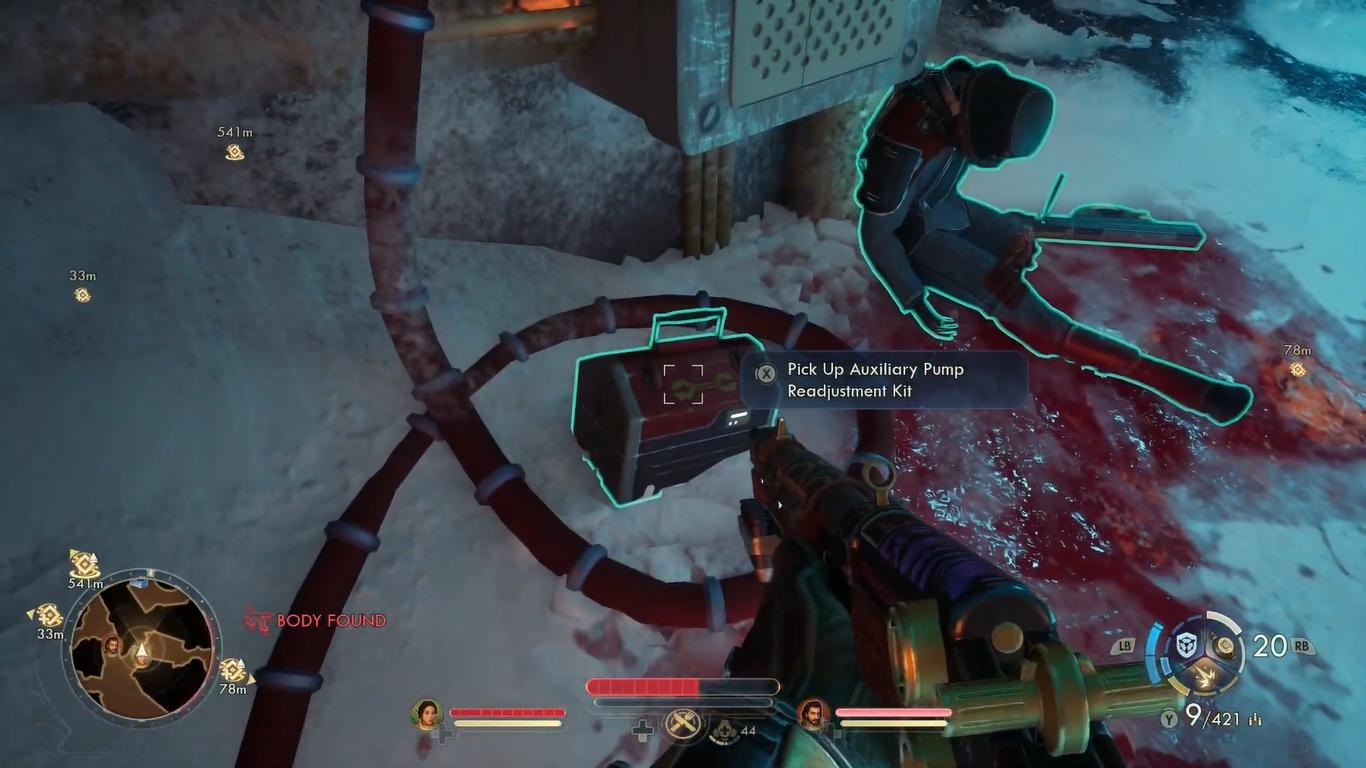
You’ll be able to find the kit on a nearby structure on the left of the pump, and it will be on a ledge above the main walkway. Once collected, head back to install the parts.
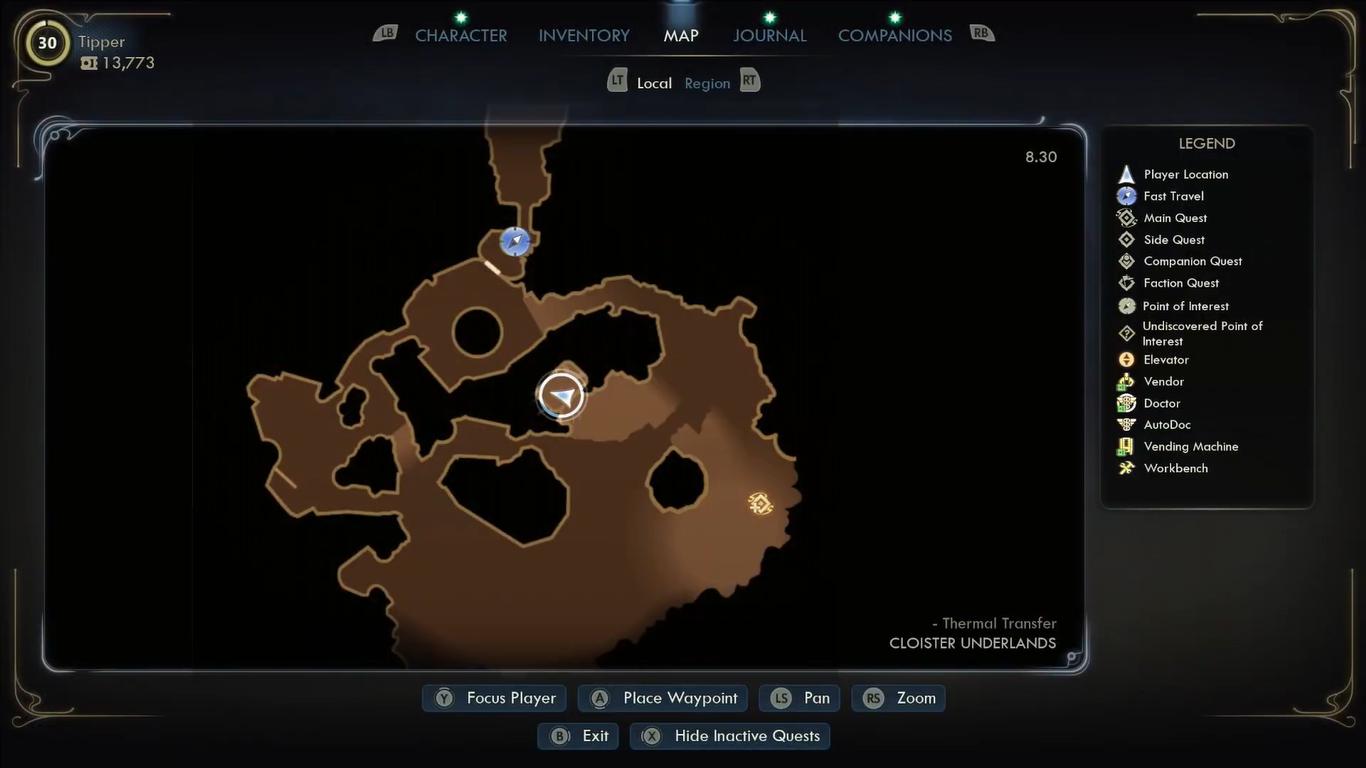
Once the pump is fixed, you’ll want to activate the nearby switch. Proceed to the second area by crossing the bridge, where the fuse can be inside one of the chambers.
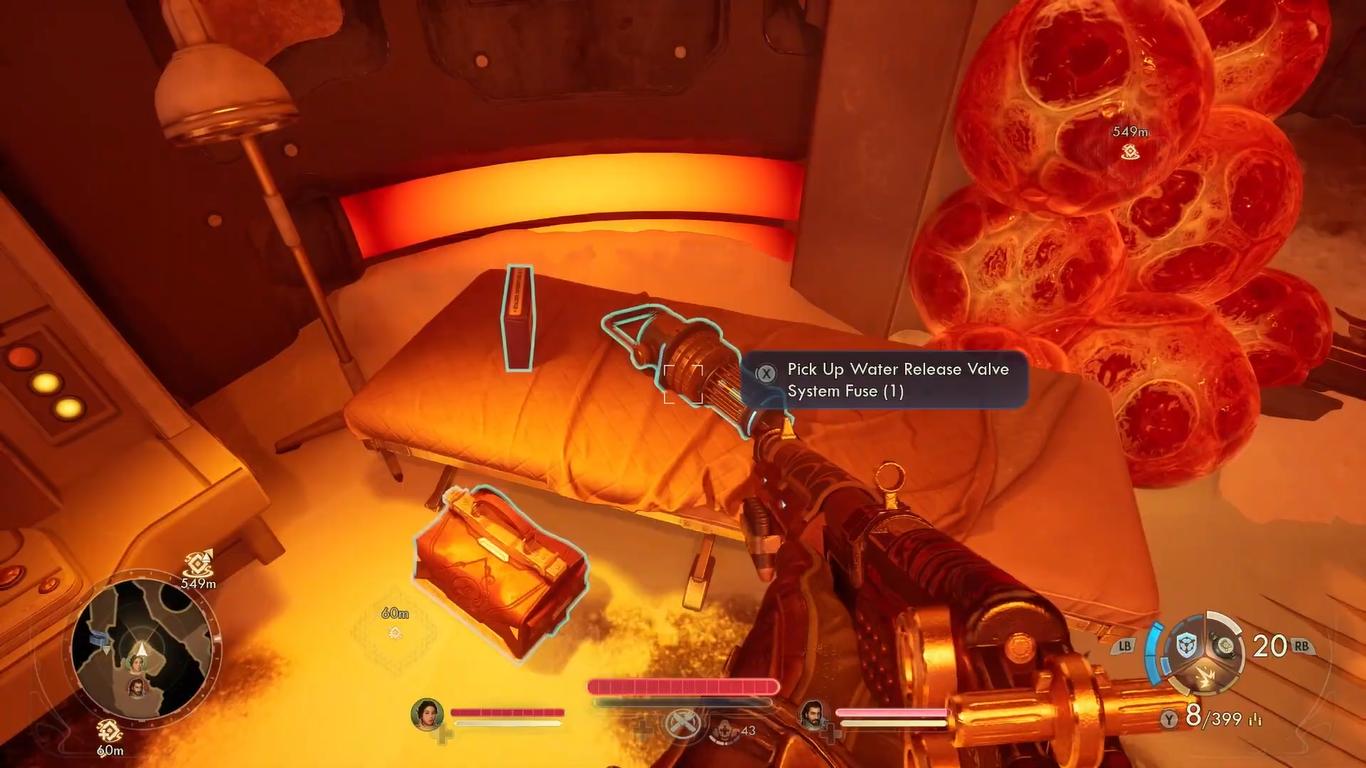
Pick it up and bring it to the main control area, and inside the fuse into the allocated slot.
Reactivating the Power System
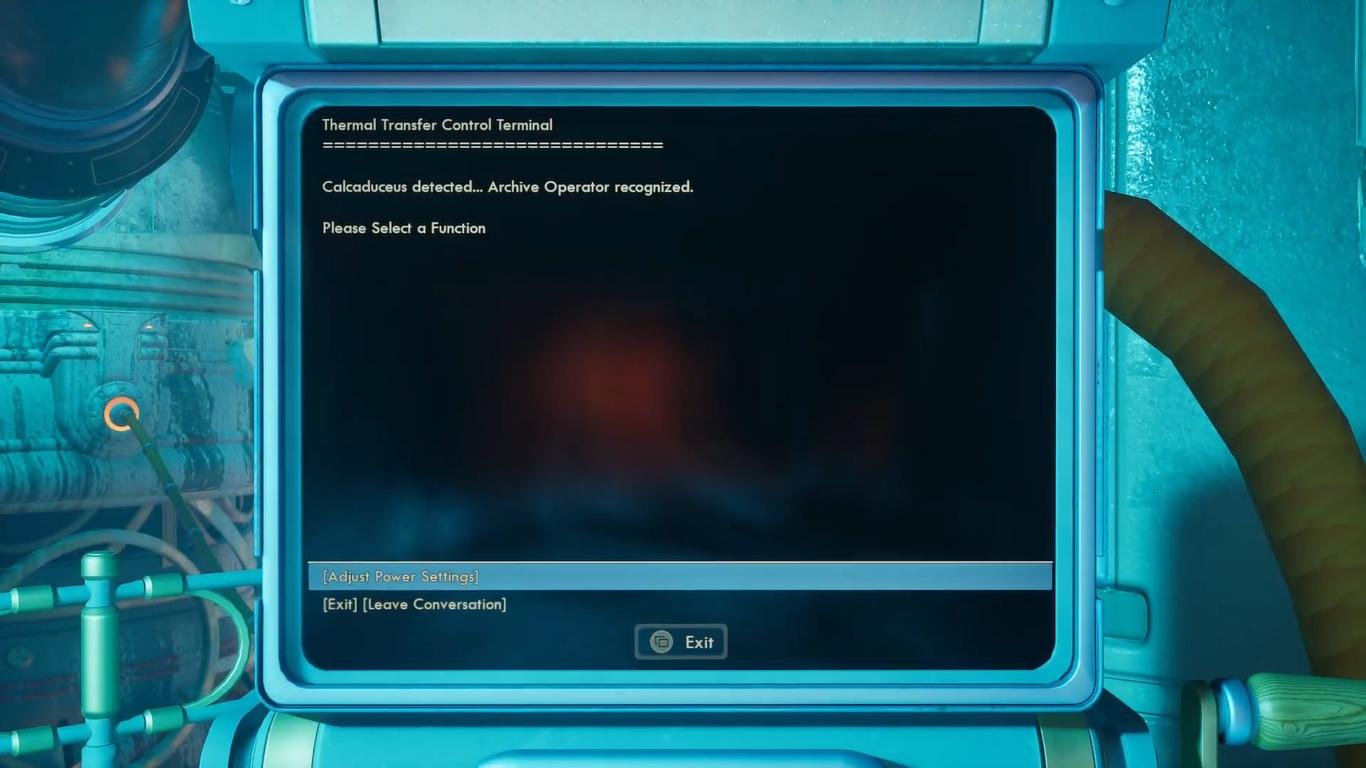
Lastly, you’ll need to adjust the power settings by interacting with the main terminal near the central machinery, select the "Adjust Power Setting" and then "Restore Power." This will fully repair and activate the Thermal Transfer System, and all of the systems will return back to normal.
Take your time to explore the area, as you will be able to find various items and useful resources.
Also, check out our The Outer Worlds 2 Review and other guides below:
- The Outer Worlds 2 Beginner’s Guide | Tips & Tricks
- The Outer Worlds 2 Guide | 5 Mural Locations
- The Outer Worlds 2 Guide | Inez Grabble or Raptidon Graft
- The Outer Worlds 2 Guide | Mysterious Cave
- The Outer Worlds 2 Guide | How to Find Victor (N-Ray Range)
- The Outer Worlds 2 Guide | How to Pickpocket
- The Outer Worlds 2 Guide | How to Survive Zynarium Zones
- The Outer Worlds 2 Guide | Vox Ship Crash Decision
- The Outer Worlds 2 Guide | How to Level Up Fast
- The Outer Worlds 2 Guide | N-Ray Lever Puzzle
- The Outer Worlds 2 Guide | All 10 Science Adventures Quarterly Volume Magazine Locations
- The Outer Worlds 2 Guide | How to Farm Bits
- The Outer Worlds 2 Guide | How to Get Otto’s Information (Puzzle)
- The Outer Worlds 2 Guide | How to Upgrade Companions
- The Outer Worlds 2 Guide | How to Repair Thermal Transfer
- The Outer Worlds 2 Guide | Now Hiring Invaluable Disposable Agent Quest
- The Outer Worlds 2 Guide | Fiddling with Furfleeting Fermentations Quest
- The Outer Worlds 2 Guide | Walking on Eggshells Quest
- The Outer Worlds 2 Guide | Deviations Under Duress Quest
- The Outer Worlds 2 Guide | Mechanical Matriarch Quest
- The Outer Worlds 2 Guide | Water Release Valve System Fuse Location
- The Outer Worlds 2 Guide | Starving Reminder Quest
- The Outer Worlds 2 Guide | Listening for a Clue Quest
- The Outer Worlds 2 Guide | Contraband Contrivance Quest
- The Outer Worlds 2 Guide | Confession of a Sub-Finagler Quest
- The Outer Worlds 2 Guide | How to Save Hostages (Puzzle)
- The Outer Worlds 2 Guide | How to Get Rookie’s Reward
- The Outer Worlds 2 Guide | Alexandra Monastery Observatory Puzzle
- The Outer Worlds 2 Guide | How to Get Gary Armor (Tentacle)
- The Outer Worlds 2 Guide | All Pet Locations
- The Outer Worlds 2 Guide | How to Get Zynarium Hover Suit
Contributor, NoobFeed
Latest Articles
No Data.