
The Outer Worlds 2 Beginner’s Guide | Tips & Tricks
Here’s a list of tips & tricks that will enhance your The Outer Worlds 2 experience.
Game Guide by Joy Rahman on Oct 31, 2025
Stepping into The World of Outer Worlds 2 and its chaotic nature can be a bit overwhelming, especially for new players, considering that the game doesn’t really explain anything.
This guide will cover important tips and tricks that make the game digestible and ensure that you have a decent character build and make smarter choices, and be resourceful throughout your playthrough.
Character Creation
At the very beginning of the game, your first decision will revolve around selecting your character background.
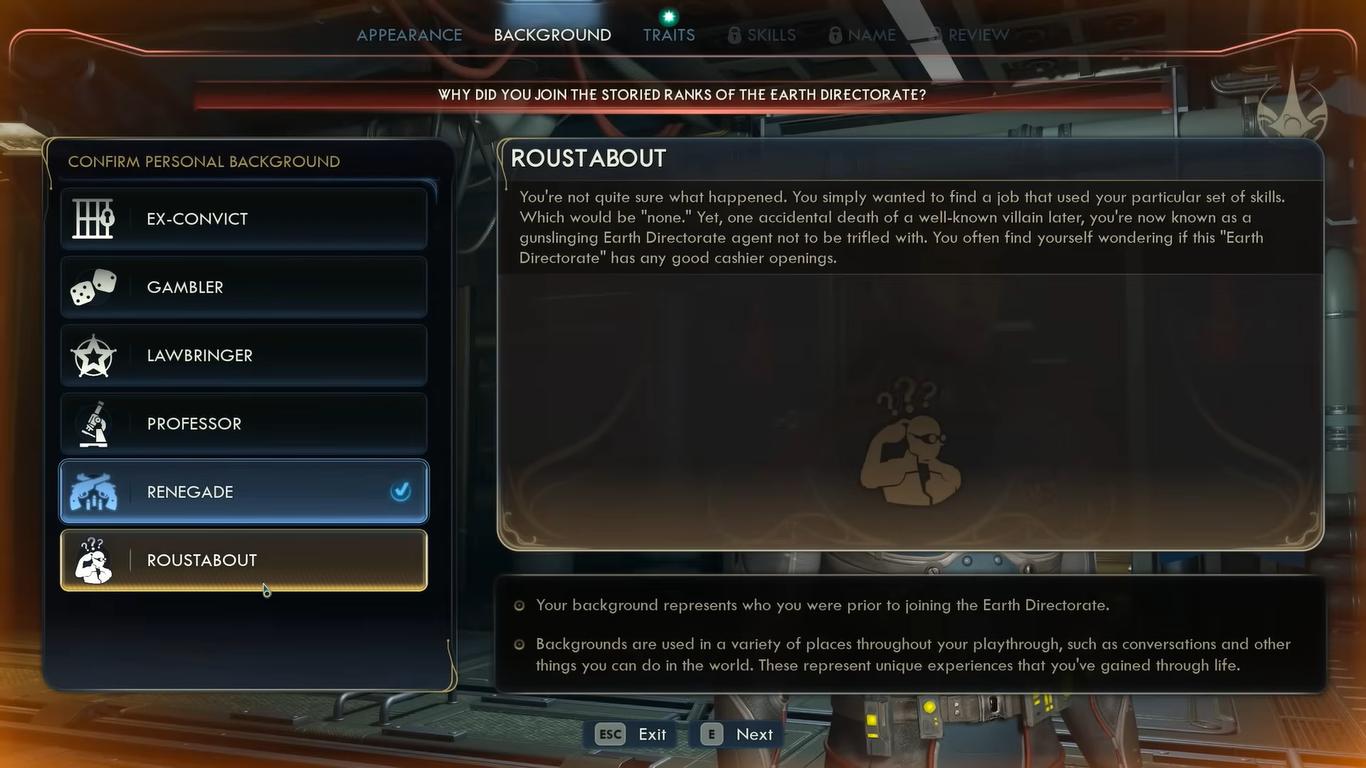
In other RPG games, this is a fundamental aspect that determines your core gameplay loop, but in The Outer Worlds 2, your character background is mainly for role-playing purposes rather than perks during gameplay.
The selected background won’t really have a lasting mechanical impact, just a few dialogue changes or additional lines whenever you describe your chosen past.
Instead of stressing about your characters, you can just select whatever you resonate with, rather than thinking of gameplay advantages.
Traits and Perks
Traits, on the other hand, do in fact play a more meaningful role. Every selectable trade will affect how your character will perform in exploration, combat, and dialogue.
Selecting two positive traits will have to be balanced by selecting a mandatory negative trait.
And it can be triggered to nail the right combination, as it will be heavily dependent on your playstyle.
For example, if you want to emphasize a more stealth focus build, you'll likely benefit from traits like Lucky, which will enhance your critical chance, and Nimble, for faster crouching and movement.
Pairing it with a negative trait like Sickly, which reduces health, isn’t as detrimental as it seems if you avoid combat, utilizing your stealth.
Traits will influence how you play your overall play through, so it’s worth giving priority to reading them thoroughly before confirming.
No Respec System
Once you’re done with your character creation, before you press confirm, you’ll need to be wary of there being no respec option after the tutorial; you won’t be allowed to manage your perks and attributes later in your playthrough.
This was done intentionally to encourage players to replay the game and experiment with different builds.
Your best bet would be to plan out your build ahead of time and place an emphasis on a few complementary skills, such as Persuasion, Lockpicking, or Engineering.
Skill Points
Every level up will grant you new skill points that you can distribute; they will play a key role when it comes to exploration and dialogue.
You must keep three or four skilled points at all times, as you may never know when they might come in handy.
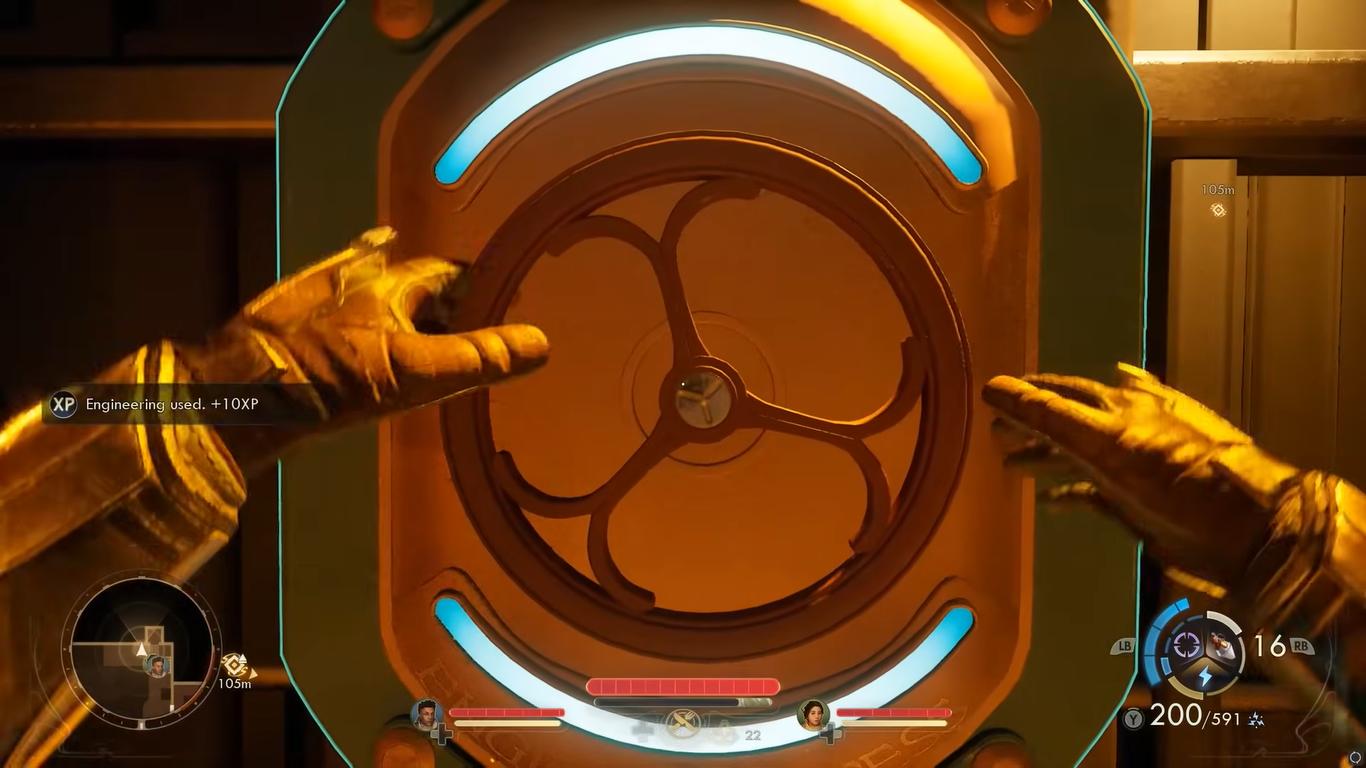
Often, there will be quests or locked areas that will require you to have a certain skill, for example, lock picking or engineering, to proceed. Having free points that you can access will allow you to proceed without the need for backtracking.
Investing your skill points into Engineering can be particularly valuable, as it’s a skill that will let you go through damaged doors and broken machines without the need for resources.
The Brawny trait can also come in handy when it comes to similar situations.
Time Dilation & Combat
The combat in The Outer Worlds 2 primarily rewards one for utilizing strategy and reflexes.
An important tool that’s important for beginners to utilize is the Tactical Time Dilation device. It’s a gadget that slows down time, allowing you to aim precisely so that you can line up Headshots or enemy weaknesses.
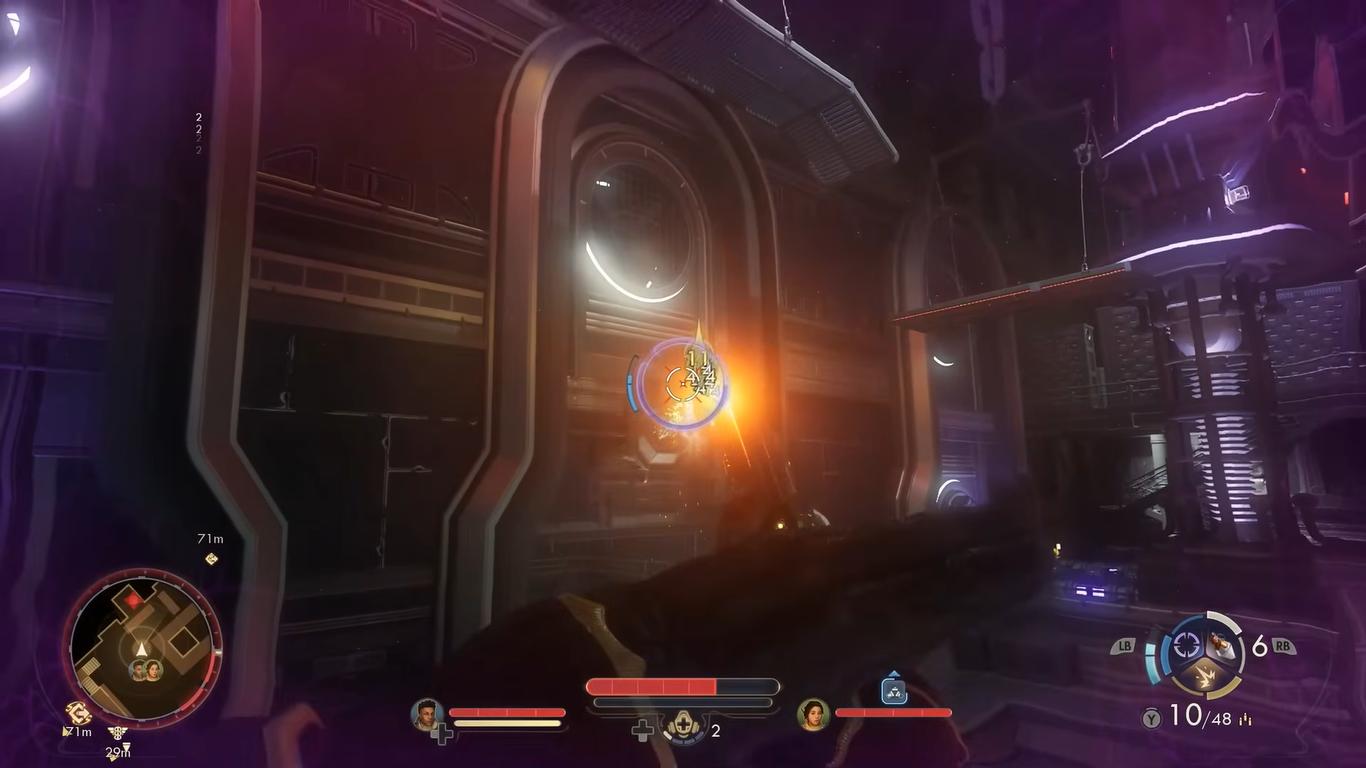
It is taxing and primarily drains faster while moving, so your best bet is to stay still and aim.
Knowing various enemy weak spots is also important. For humans, it goes without saying that it’s their heads, but for other non-humanoid enemies, they usually have glowing regions on their bodies that let you know that it’s the weak point.
It’s important to know where to shoot as it takes them down faster, more efficiently, conserving ammunition.
Another use for Tactical Time Dilation is that it comes in handy whenever you are reviving companions; during intense fun fights, healing your downed companions it’s pretty risky, and every time you get hit, it will reset the process.
When using time dilation, it will slow down incoming attacks, making the intense scenario a bit more manageable.
Inhalers & Healing
The primary health management will revolve around utilizing The Outer Worlds 2's inhaler system, which regenerates health but at the same time builds up toxicity.
When toxicity reaches its peak limit, you won’t be able to use it up until your toxicity decreases.
However, there is an alternative to managing your health, which is also effective, during gunfights. You'll primarily wants to heal using food and drink items.
They tend to heal you without building any toxicity, and they’re also pretty quick to consume using a single button, allowing you to recover instantly without moving through the navigation menu.
Trauma kits will also do you wonders, their items are found in the vending machines or from doctors. They automatically revive your character if they go down, even while a companion is alive. A great item to have during difficult encounters.
Utilising Mini-Map
The mini map is something that a lot of beginners tend to overlook, provides you with a lot more information than you think.
After combat, there will be a small container icon that indicates bodies or crates that possess loot, which prevents you from missing items.
Also, whenever enemies are nearby, the edges around the map glow red and taxes a warning sign for approaching hostility.
Lockboxes
You’ll be able to find lockboxes throughout the game, and a lot of them will carry the most valuable gear.
They require keys to open, which are often a reward for completing bounty missions or exploration.
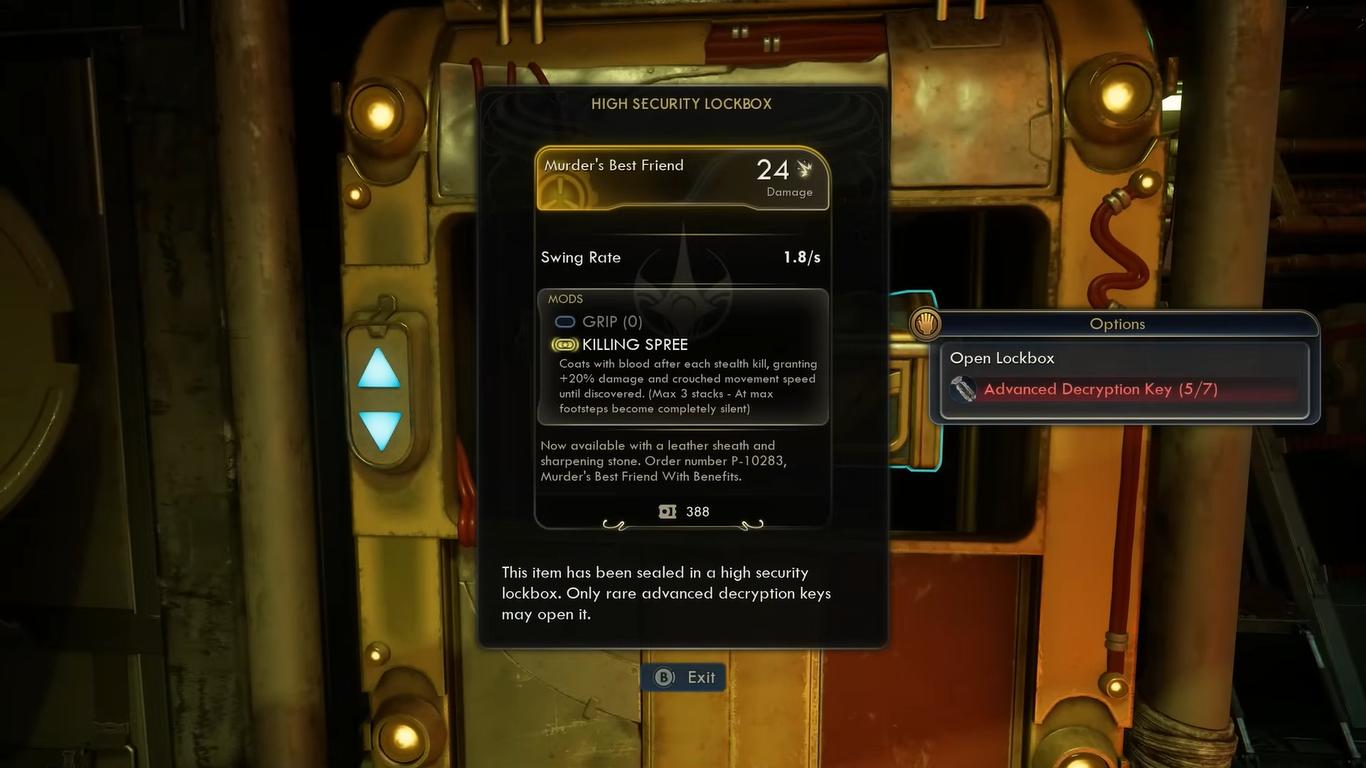
There isn’t necessarily a single way that you can open a lockbox; each one you collect will be stored on your ship, where they can be examined freely.
The keys that you can open the lockbox with our limited, so it’s better to check all of the boxes and then open the ones that you think work well with your play through.
For example, some of them will contain upgrades for a companion that might not be in use, so you are better off saving that key for something else.
Bounty Missions
Bounty missions are a fun way to earn keys, experience, and credits. You’ll be able to pick up the bounties at specific terminals in major settlements, completing them or improving faction relationships, and exploring a lot of new map areas.
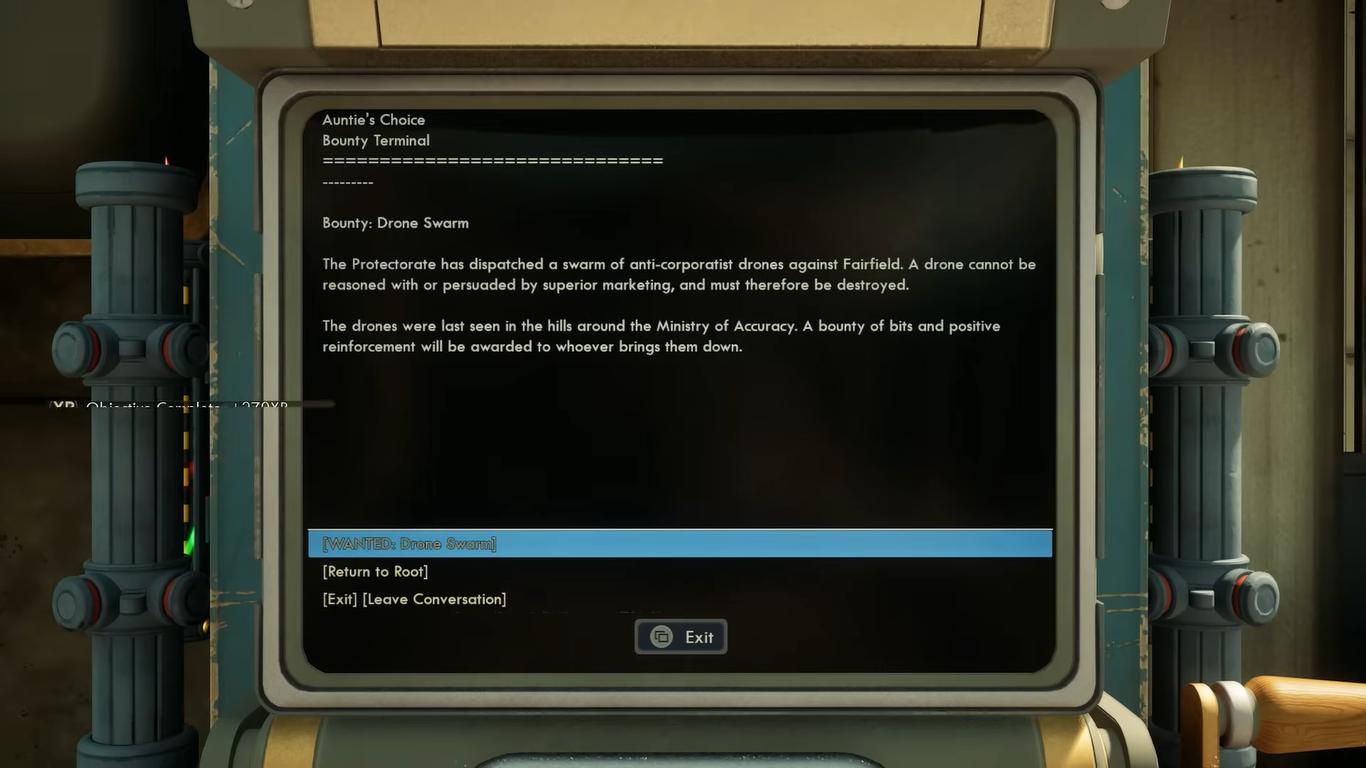
Not all of the bounty quests are clearly marked; a lot of them can be triggered by reading computer terminals, over here conversations, or getting radio transmissions.
Check in terminals frequently and try to chime in on conversations to reveal hidden objectives or various lore-related missions.
Crafting and Resources
Crafting plays a huge role in The Outer Worlds 2, especially when you compare it to its prequel.
You often need to collect recipes before even crafting anything, whether that would be ammunition, inhaler refills, or lockpicks.
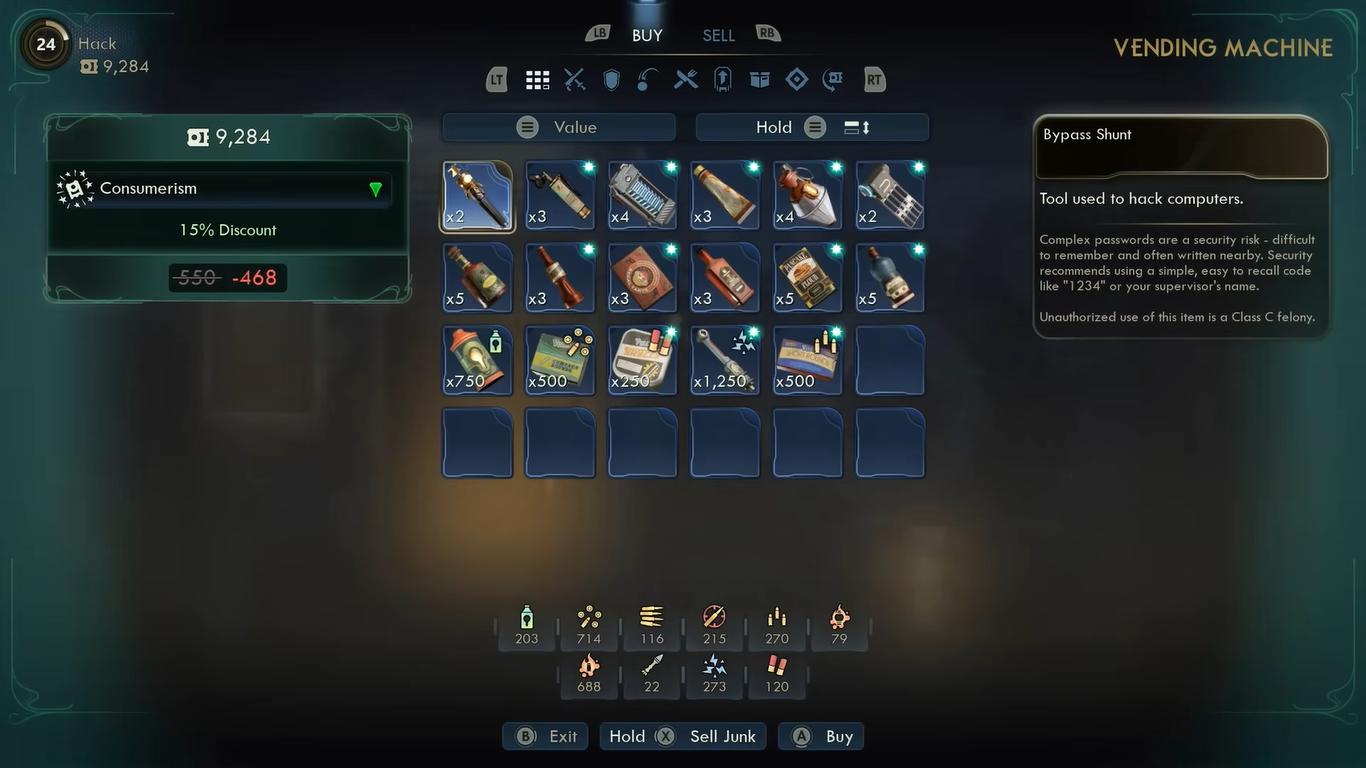
You can buy these recipes from vendors, include them from chests, or earn them as rewards. Whenever our recipes are not owned, they’ll be listed with a special symbol in shops, so it’s pretty easy to identify what’s missing.
When you’re stacked with extra weapons and armor sets instead of selling them, breaking them down tends to be more beneficial.
They’ll give you additional crafting materials for supplies that you actually need. Junk items that can be found in abundance can also be dismantled, which makes the breakdown feature particularly useful for crafting items that are frequently used.
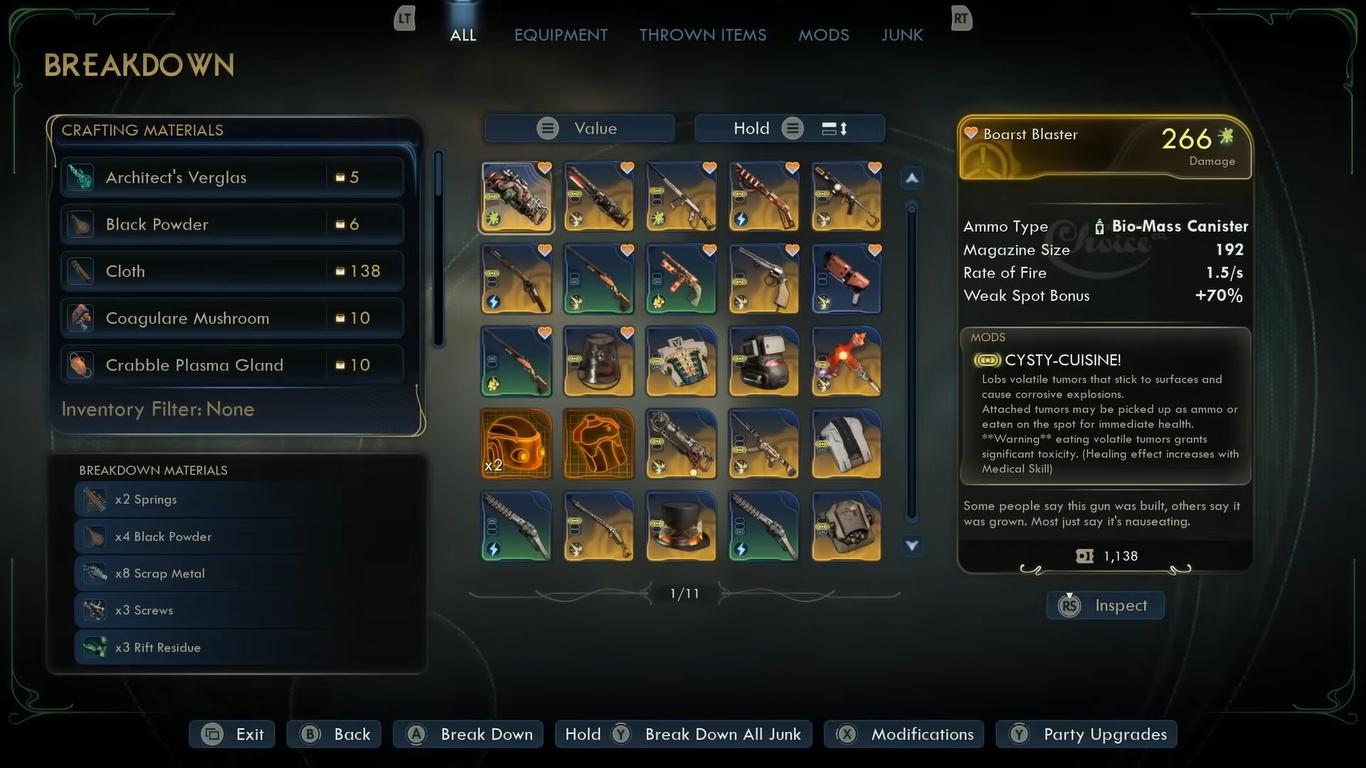
The most convenient way to craft items is by using Niles' field crafting ability, which can be accessed from his dialogue menu without requiring a workbench. This makes him an important companion to have around for long expeditions.
Organizing Inventory
With hundreds of different items in the game, clutter can quickly get out of hand.
By using the favorite system, you’ll easily be able to manage this; marking weapons and armors as favorites will move them up to the top of the list, and it’ll prevent you from accidentally selling them or breaking them down.
You’ll also be showing a preview that will show you what each armor looks like before equipping it.
Pickpocketing
Peck pocketing is a useful mechanic that will reward your investment into the Lockpick skill. To unlock the ability, you’ll need to have at least one point placed into lock, followed by spending a perk point into pickpocketing.
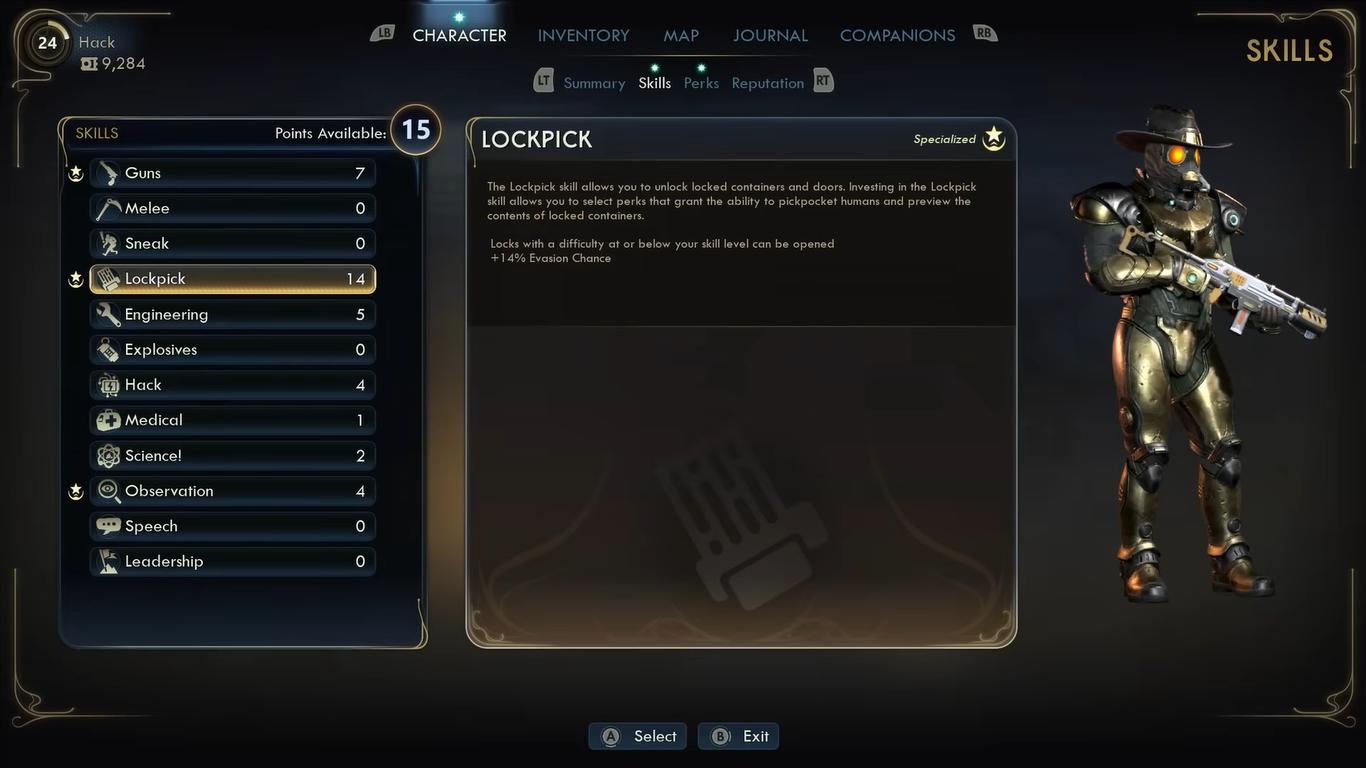
When it’s active, you can sneak behind NPCs, and there will be a prompt that allows you to steal.
A simple mechanic where you will need to hold the interact button to quietly take items as long as you don’t get spotted.
Pickpocketing rewards are due with key cards, rare ammo, or crafting materials, and can’t even trigger hidden objectives. It’s a minimal investment, but it adds significant value to almost any build.
The Outer Worlds 2 curiously captures the essence of its predecessor but adds more layers and depths, truly living up to being a great sequel.
Mastering certain systems will help you avoid making mistakes and progress further, regardless of how you enjoy playing the game; with various strategies in mind, your exploration through the world should become smoother and rewarding.
Also, check out our The Outer Worlds 2 Review and other guides below:
- The Outer Worlds 2 Beginner’s Guide | Tips & Tricks
- The Outer Worlds 2 Guide | 5 Mural Locations
- The Outer Worlds 2 Guide | Inez Grabble or Raptidon Graft
- The Outer Worlds 2 Guide | Mysterious Cave
- The Outer Worlds 2 Guide | How to Find Victor (N-Ray Range)
- The Outer Worlds 2 Guide | How to Pickpocket
- The Outer Worlds 2 Guide | How to Survive Zynarium Zones
- The Outer Worlds 2 Guide | Vox Ship Crash Decision
- The Outer Worlds 2 Guide | How to Level Up Fast
- The Outer Worlds 2 Guide | N-Ray Lever Puzzle
- The Outer Worlds 2 Guide | All 10 Science Adventures Quarterly Volume Magazine Locations
- The Outer Worlds 2 Guide | How to Farm Bits
- The Outer Worlds 2 Guide | How to Get Otto’s Information (Puzzle)
- The Outer Worlds 2 Guide | How to Upgrade Companions
- The Outer Worlds 2 Guide | How to Repair Thermal Transfer
- The Outer Worlds 2 Guide | Now Hiring Invaluable Disposable Agent Quest
- The Outer Worlds 2 Guide | Fiddling with Furfleeting Fermentations Quest
- The Outer Worlds 2 Guide | Walking on Eggshells Quest
- The Outer Worlds 2 Guide | Deviations Under Duress Quest
- The Outer Worlds 2 Guide | Mechanical Matriarch Quest
- The Outer Worlds 2 Guide | Water Release Valve System Fuse Location
- The Outer Worlds 2 Guide | Starving Reminder Quest
- The Outer Worlds 2 Guide | Listening for a Clue Quest
- The Outer Worlds 2 Guide | Contraband Contrivance Quest
- The Outer Worlds 2 Guide | Confession of a Sub-Finagler Quest
- The Outer Worlds 2 Guide | How to Save Hostages (Puzzle)
- The Outer Worlds 2 Guide | How to Get Rookie’s Reward
- The Outer Worlds 2 Guide | Alexandra Monastery Observatory Puzzle
- The Outer Worlds 2 Guide | How to Get Gary Armor (Tentacle)
- The Outer Worlds 2 Guide | All Pet Locations
- The Outer Worlds 2 Guide | How to Get Zynarium Hover Suit
Contributor, NoobFeed
Latest Articles
No Data.