
Subnautica 2 Guide | How to Get Square Room Blueprint
Here’s a guide on how to get the Square Room Blueprint in Subnautica 2.
Game Guide by Ragib Rawnak on May 17, 2026
To find the Square Rooms Blueprint, start at the Lifepod. Turn your compass to 15 degrees North and start swimming. Your destination is the area surrounding Blackbox Anita in Subnautica 2.
Even if you travel during the night, you can spot specific markers along the path to keep you on course. Keep moving forward past a lock box until you see a submerged platform down to your left. This structure serves as your sign that human ruins are close by.
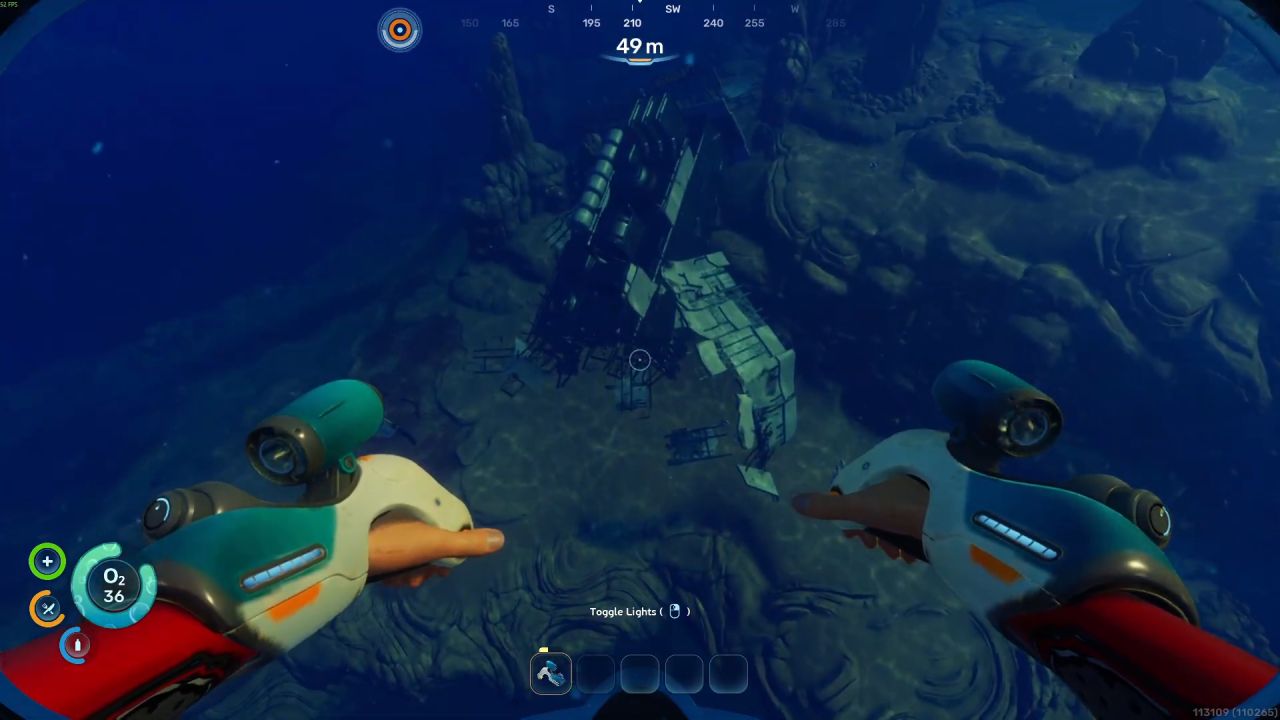
Unlocking the Flooded Facility
Before attempting to dive deep into the ruins, ensure your oxygen tank is completely full. You will need to interact with a power system before you can enter the main area. Locate the tallest structure in the cluster and look for a small hatchway.
Swim through this opening to find an electrical switch. Activating this switch opens a direct door in front of you, which completely floods the lower chambers and grants you access to the deeper sections of the facility.
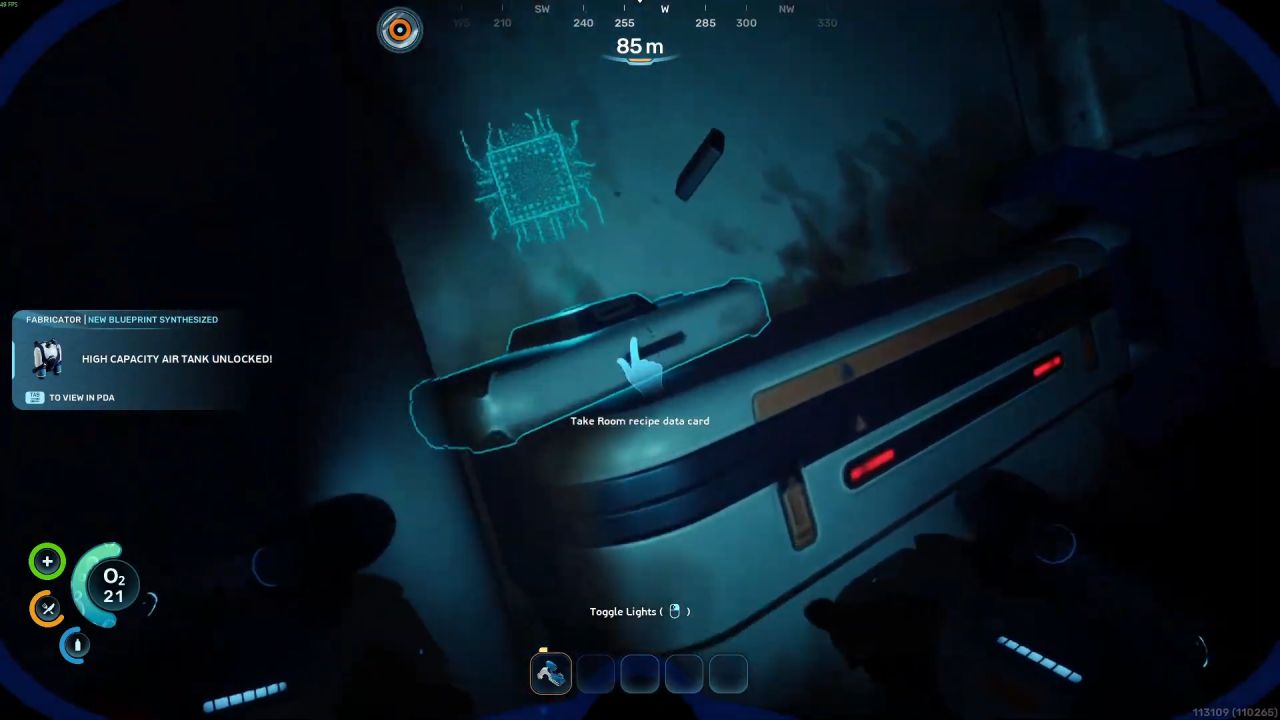
Scanning for the Blueprint
Make sure you bring your Scanning Tool along, as you do not need any other special technology for this task.
Once the lower doors are open, follow the massive structural framework down to the very bottom level in Subnautica 2.
Swim through the newly opened entryway into the flooded room. Look for a specific mechanical device inside the chamber. Use your Scanning Tool directly on this device, and you will immediately unlock the blueprint for Square Rooms.
Also, check Subnautica 2 Review and our other guides below:
- Subnautica 2 Guide | How to Get the Digestion Ability
- Subnautica 2 Guide | How to Mine Ore
- Subnautica 2 Guide | How to Use Turbine
- Subnautica 2 Guide | How to Get Lead
- Subnautica 2 Guide | How to Charge Batteries
- Subnautica 2 Guide | How to Get Processors
- Subnautica 2 Guide | How to Get Portable Oxygen Generator Blueprint
- Subnautica 2 Guide | How to Get Rebreather Blueprint
- Subnautica 2 Guide | How to Get Fibrous Pulp
- Subnautica 2 Guide | How to Get Heat Tolerance Ability
- Subnautica 2 Guide | How to Get Sonic Resonator Blueprint
- Subnautica 2 Guide | How to Make Mild Acid
- Subnautica 2 Guide | How to Get Tadpole Submarine
- Subnautica 2 Guide | How to Clear Bloom Infestation
- Subnautica 2 Guide | How to Get Power Transmitter Blueprint
- Subnautica 2 Guide | How to Get Sulfur
- Subnautica 2 Guide | How to Get Gold
- Subnautica 2 Guide | How to Get Salt
- Subnautica 2 Guide | How to Get Lithium
- Subnautica 2 Guide | How to Get Hydroelectric Turbine Blueprint
- Subnautica 2 Guide | How to Make Rubber
- Subnautica 2 Guide | How to Get Ladder Blueprint
- Subnautica 2 Guide | How to Get Repair Tool Blueprint
- Subnautica 2 Guide | How to Make Strong Acid
- Subnautica 2 Guide | How to Get More Inventory Space
- Subnautica 2 Guide | How to Get Base Upgrades
- Subnautica 2 Guide | How to Get Silver
- Subnautica 2 Guide | How to Get Food
- Subnautica 2 Guide | How to Build Bases
- Subnautica 2 Beginner’s Guide | Gameplay Tips & Tricks
Senior Editor, NoobFeed
Latest Articles
No Data.