
Subnautica 2 Guide | How to Charge Batteries
Here’s a guide on how to Charge Batteries in Subnautica 2.
Game Guide by Ragib Rawnak on May 17, 2026
You need to find a specific blueprint to keep your tools powered up and recharge your dead batteries. The blueprints for this device are hidden inside a massive underwater location that is about 400 meters straight north of your starting Lifepod in Subnautica 2.
Before you dive down to this deep facility, make sure that your Scanning Tool has plenty of juice. The area is filled with valuable tech to analyze so you need a fully charged tool.
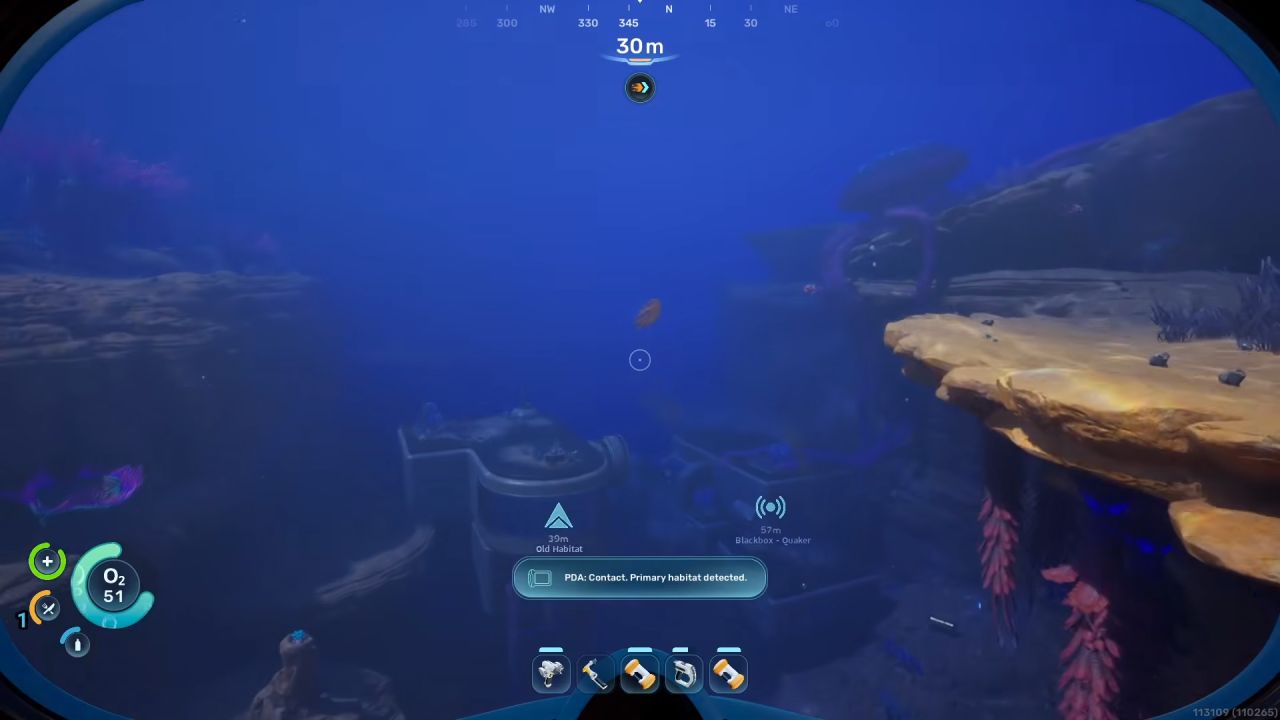
Finding the First Blueprint Part
Swim down to the structure and locate the main entrance port. Head straight inside the first corridor section. Look to your right to find a scooper tank device. You can stand next to this tank to fill up your oxygen meter if your air is running low.
Continue past the tank into the next room. Look closely at the wall inside this room to spot the first Battery Terminal.
Pull out your Scanning Tool and scan it. You must find one more partial blueprint before you can build the device in Subnautica 2.
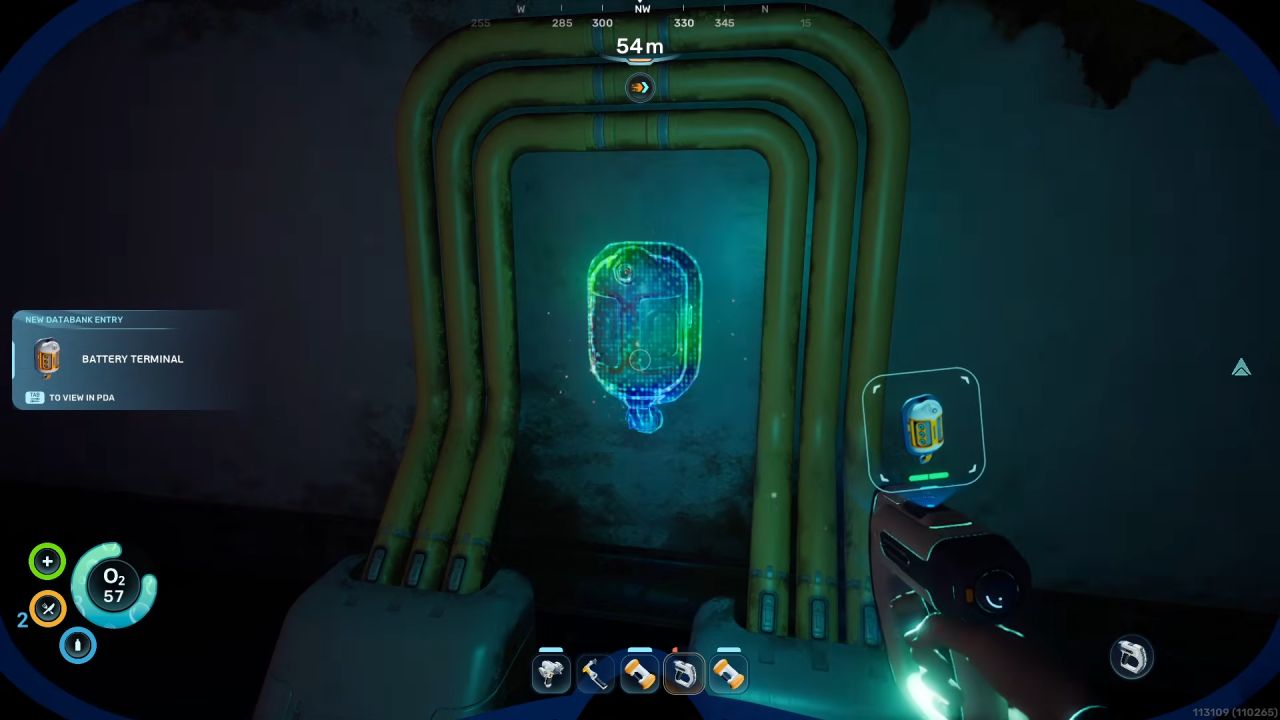
Unlocking the Battery Terminal
To find the final component, turn around and swim back toward the scooper tank. Locate the vertical ladder shaft right next to the tank and climb up to the upper level. As soon as you reach the top of the ladder, look directly at the wall in front of you.
You will see the second Battery Terminal mounted there. Scan this final unit to complete the blueprint. You can now build this machine inside your own base where you can insert drained batteries and charge them back up to full power.
Also, check Subnautica 2 Review and our other guides below:
- Subnautica 2 Guide | How to Get the Digestion Ability
- Subnautica 2 Guide | How to Mine Ore
- Subnautica 2 Guide | How to Use Turbine
- Subnautica 2 Guide | How to Get Lead
- Subnautica 2 Guide | How to Get Repair Tool Blueprint
- Subnautica 2 Guide | How to Get Ladder Blueprint
- Subnautica 2 Guide | How to Get Processors
- Subnautica 2 Guide | How to Get Portable Oxygen Generator Blueprint
- Subnautica 2 Guide | How to Get Rebreather Blueprint
- Subnautica 2 Guide | How to Get Fibrous Pulp
- Subnautica 2 Guide | How to Make Rubber
- Subnautica 2 Guide | How to Get Square Room Blueprint
- Subnautica 2 Guide | How to Get Tadpole Submarine
- Subnautica 2 Guide | How to Clear Bloom Infestation
- Subnautica 2 Guide | How to Get Power Transmitter Blueprint
- Subnautica 2 Guide | How to Get Hydroelectric Turbine Blueprint
- Subnautica 2 Guide | How to Make Strong Acid
- Subnautica 2 Guide | How to Get Sulfur
- Subnautica 2 Guide | How to Get Gold
- Subnautica 2 Guide | How to Get Salt
- Subnautica 2 Guide | How to Get Lithium
- Subnautica 2 Guide | How to Get Heat Tolerance Ability
- Subnautica 2 Guide | How to Get Sonic Resonator Blueprint
- Subnautica 2 Guide | How to Make Mild Acid
- Subnautica 2 Guide | How to Get More Inventory Space
- Subnautica 2 Guide | How to Get Base Upgrades
- Subnautica 2 Guide | How to Get Silver
- Subnautica 2 Guide | How to Get Food
- Subnautica 2 Guide | How to Build Bases
- Subnautica 2 Beginner’s Guide | Gameplay Tips & Tricks
Senior Editor, NoobFeed
Latest Articles
No Data.