
Ghost of Yōtei Guide | How to Play Shamisen Guitar Mini Game
Here's a guide on how to play the Shamisen Guitar Mini Game in Ghost of Yōtei.
Game Guide by Ragib Rawnak on Oct 04, 2025
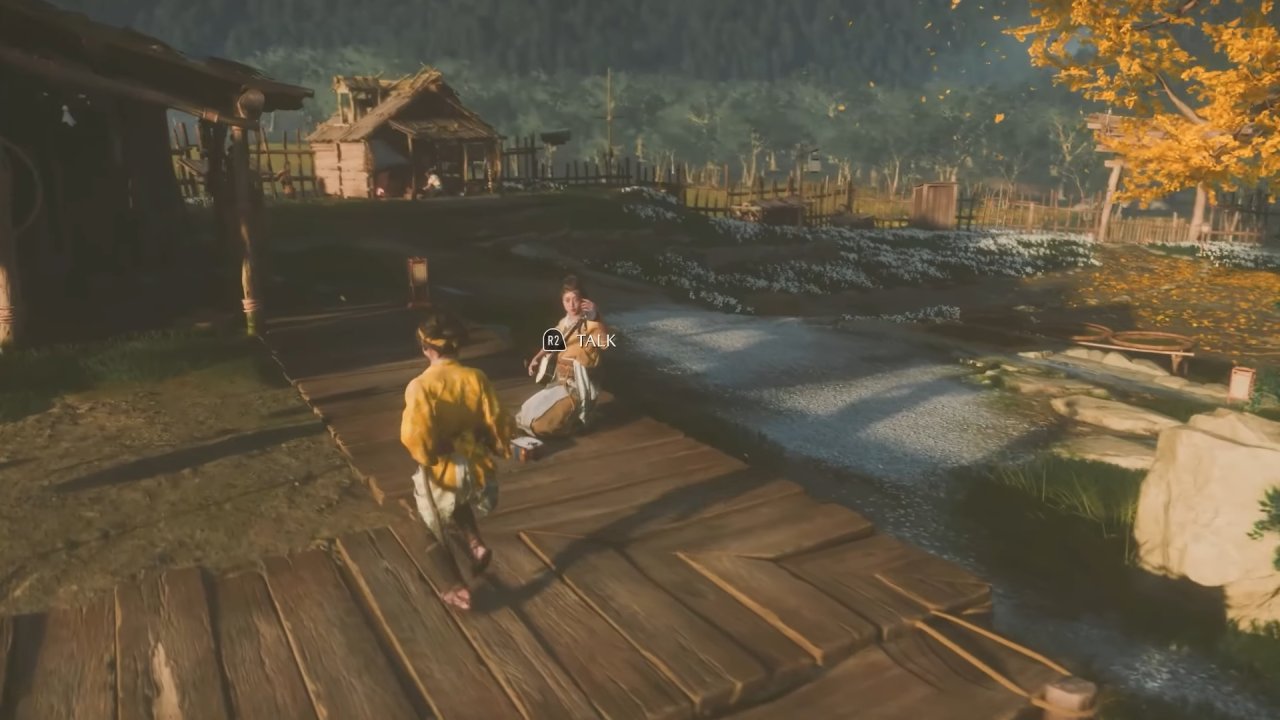
The Shamisen Guitar minigame in Ghost of Yōtei appears at the start of the game and serves as an introduction to a recurring activity.
You first experience it during a sequence where you are required to play the instrument alongside your mother. Understanding the basic controls early will allow you to complete the task each time it appears in Ghost of Yōtei.
Introduction to the Minigame
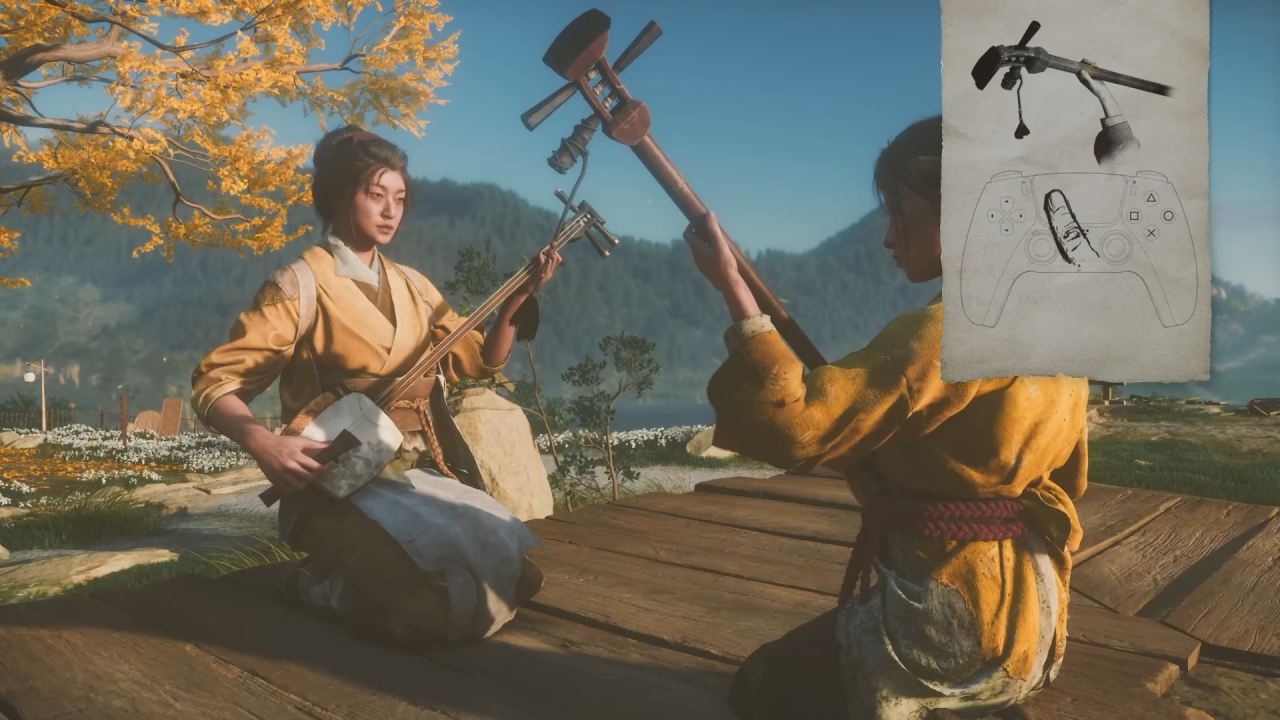
When you begin the game, you encounter the Shamisen Guitar minigame as part of a scene with your mother. This sequence teaches you the fundamental controls for playing the instrument. The mechanic involves using your controller’s touchpad to simulate strumming the shamisen in Ghost of Yōtei.
Using the Touchpad
To play the minigame, swipe your finger across the touchpad. As you do so, a glowing section will appear on the screen. This glow indicates where you need to hold your finger during the performance.
Swiping your finger down and then back up is the right way to do it. Take a moment to hold your finger where the light line is brightest. Holding your finger in this position will help you hit the right notes and finish the minigame in Ghost of Yōtei.
Mastering the Sequence
The Shamisen Guitar minigame appears multiple times throughout Ghost of Yōtei. Once you learn how to follow the glowing guide during the initial attempt, you will be able to repeat the process without difficulty whenever the activity is presented again in Ghost of Yōtei.
Also, check our Ghost of Yōtei Review and other guides below:
- Ghost of Yōtei Guide | 5 Best Armor to Get Early
- Ghost of Yōtei Beginner's Guide | Tips & Tricks
- Ghost of Yōtei Guide | How to Use Onryō’s Howl
- Ghost of Yōtei Guide | How to Complete Soma The Condemned Bounty
- Ghost of Yōtei Guide | How to Complete Smiling Yoshitomo Bounty
- Ghost of Yōtei Guide | How to Find Cave Altar of Reflection
- Ghost of Yōtei Guide | How to Play Forging Mini Game
- Ghost of Yōtei Guide | How to Collect All Wind Chimes
- Ghost of Yōtei Guide | How to Activate Spider Lily General Puzzle
- Ghost of Yōtei Guide | How to Use Oni’s Flame
- Ghost of Yōtei Guide | How to Find Serpent's Pass Altar of Reflection
- Ghost of Yōtei Guide | How to Complete The Reliquary of Strength
- Ghost of Yōtei Guide | How to Find Bear Rock Altar of Reflection
- Ghost of Yōtei Guide | All Hot Spring Locations
- Ghost of Yōtei Guide | How to Complete The Reliquary of Resilience
- Ghost of Yōtei Guide | How to Set Ishikari Traveller's Maps
- Ghost of Yōtei Guide | How to Complete Toshi The Torch Bounty
- Ghost of Yōtei Guide | How to Complete The Traitorous Raider, Mad Goro Bounty
- Ghost of Yōtei Guide | How to Complete The Three Terrors Bounty
- Ghost of Yōtei Guide | How to Complete The Onryo Bounty
- Ghost of Yōtei Guide | How to Complete Snowstorm Katagiri Bounty
- Ghost of Yōtei Guide | How to Complete Snake’s Assassin Bounty
- Ghost of Yōtei Guide | How to Complete Shiro the Swindler Bounty
- Ghost of Yōtei Guide | How to Complete Nameless Killer Bounty
- Ghost of Yōtei Guide | How to Complete Muneji the Bone Crusher Bounty
- Ghost of Yōtei Guide | How to Complete Malevolent Hunter Bounty
- Ghost of Yōtei Guide | How to Complete Houndmaster Toyotaro Bounty
- Ghost of Yōtei Guide | How to Complete Eijiro the Ruthless Bounty
- Ghost of Yōtei Guide | How to Complete Eagly Eye Kondo Bounty
- Ghost of Yōtei Guide | How to Complete Bloody Strings Hachibee Bounty
- Ghost of Yōtei Guide | How to Complete Black Powder Ippei Bounty
- Ghost of Yōtei Guide | How to Complete Black Knight Kubo Bounty
- Ghost of Yōtei Guide | How to Complete Blue Yamauba Bounty
- Ghost of Yōtei Guide | All Fox Den Locations
- Ghost of Yōtei Guide | How to Complete The Reliquary of Courage
- Ghost of Yōtei Guide | How to Complete Crow Genzo Bounty
- Ghost of Yōtei Guide | How to Get The Best Charms Early
- Ghost of Yōtei Guide | How to Set Travellers Map
- Ghost of Yōtei Guide | How to Craft Weapons & Gears
- Ghost of Yōtei Guide | How to Upgrade Weapons & Gears
- Ghost of Yōtei Guide | How to Parry
- Ghost of Yōtei Guide | How to Use Heavenly Slash Ability
- Ghost of Yōtei Guide | How to Get Kanemori’s Two Faced Mask
- Ghost of Yōtei Guide | How to Set Auto Lock Target
- Ghost of Yōtei Guide | How to Use Wolf’s Call Ability
- Ghost of Yōtei Guide | A Moment to Breathe Trophy
- Ghost of Yōtei Guide | Good with Coins Trophy (Coin Game)
- Ghost of Yōtei Guide | Fireside Performance Trophy
- Ghost of Yōtei Guide | Two as One & Wolf Bait Trophy
- Ghost of Yōtei Guide | Best Charms to Get
- Ghost of Yōtei Guide | All Armor Sets Location
- Ghost of Yōtei Guide | How to Use Dance of Wrath
Senior Editor, NoobFeed
Latest Articles
No Data.